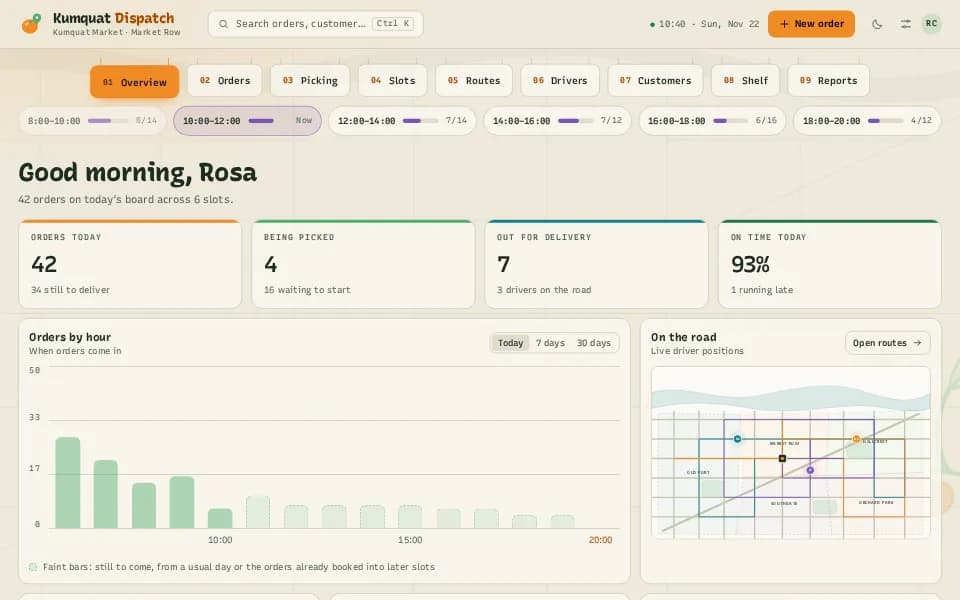
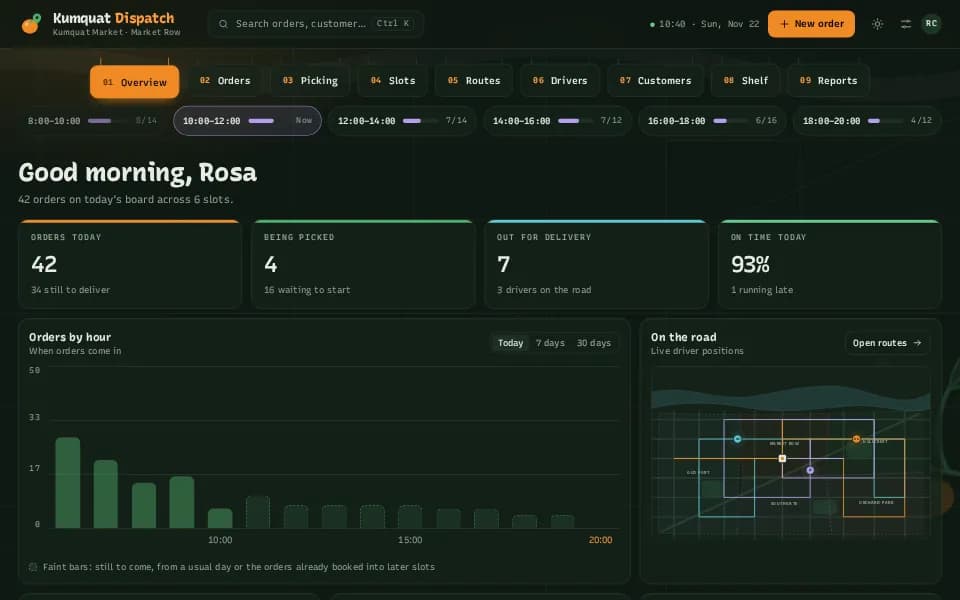
A beekeeper's app in beeswax and propolis: hives as honey cells you drag between yards, inspections, harvests and honey sales.
Web
11 stron
$69
Adres strony: /
Więcej poniżej ↓
Wbudowane
Co dostajesz
Jasny i ciemnyUżywa kolorów twojego motywu
Komputer, tablet i telefonEkrany, dla których powstał
Pakiety…
Rozmiar kodu…
Oszczędza baterię30 fps, bezczynny w spoczynku
Pauza, gdy niewidocznyPoza ekranem lub w innej karcie
Mniej ruchuSpokojny dla osób, które o to proszą
Sprawdzane przy każdej zmianie
Sprawdzanie typówTypeScript w trybie strict
Lint i formatowanieESLint · Prettier
Testy i buildZrzuty ekranu w jasnym i ciemnym
Audyt bezpieczeństwaBrak ostrzeżeń wysokich i krytycznych
Wiek pakietówKażda wersja publiczna od 7+ dni
CPU w spoczynkuPoniżej pół rdzenia w spoczynku, ≤ 30 fps
Kod
Coś nie tak z tą aplikacją? Wyślij opinię ›
apiary-combReact
apiary-comb.tsxpageThe page: the sections in order.
content.tscontentEvery word and number: brand, nav links, each section's copy and lists.
theme.tsthemeThe colors as CSS variables, and the shared class strings.
README.mdreadmeHow to install it, and where to change the text, colors and form.
theme-motion.tspartThe app's motion in CSS: the few entrances (toasts, dialogs, the phone sheet), the page build-in's shared part, and the apiary's own moves: comb cells filling with honey, the nav key's honey rising, and the wax cell outline gliding between keys.
pagespagesOne file per page: the sections it shows, in order.
care.tsxpageCare: the log of treatments and feeds (search, filter by hive, kind and yard, sort, edit, pick several to delete with Undo) and the reminders (tick off, snooze, add). ?new=treatment or ?new=feeding opens the care form, ?edit=<id> edits one entry.
harvests.tsxpageHarvests: every lot of honey taken off, with its kg, water content, jars and what is left in stock. Search, filter by yard, month and hive, sort, pick several to delete (Undo brings them back); ?new= opens the new harvest form.
hive.tsxpageOne hive: its cell and headline numbers, then tabs for the overview, its inspections, its care, the harvests it went into and notes. Edit, split, archive (all undoable) and a new inspection from the head.
hives.tsxpageHives: every hive as the comb (drag a cell to move a hive within or between yards) or as a list (search, filters, sort, pick several to move, plan an inspection or archive). Filters live in the address, so Back keeps them; ?new= opens the new hive form.
home.tsxpageHome: the apiary at a glance. Five numbers, the comb of every hive with its alerts beside it, what is due, the mite trend and the harvest, and the latest inspections and sales; every tile, bar and row opens the list or record behind it.
inspection.tsxpageOne inspection, new (#/inspection/new?hive=h3, filled from that hive's last check) or saved: the form on one side and, beside it, the hive's cell as it will look after saving, its strength against the last check and the alerts it will raise. Save offers Undo; Delete asks first and offers Undo too.
inspections.tsxpageInspections: every check of every hive, newest first. Search, filter by yard, queen and mites over your limit, sort, pick several to delete (Undo brings them back) or download them.
lot.tsxpageOne lot of honey: what it is and where it came from, its jars with stock and what sold, and its jar label editor. Edit and delete from the head, both undoable.
sales.tsxpageSales: honey in stock by lot and jar size, every sale, and the customers, each a tab with its own search, filters, sort and bulk actions. ?new= opens the new sale form.
settings.tsxpageSettings: the apiary's rules and jar prices, the yards, and Appearance (style, theme and language).
sign-in.tsxpageThe sign-in page (#/sign-in): the logo and the form on one card over the backdrop, without the sidebar and top bar; on wide screens a little drawn comb of honey cells and a line about the season sit beside it.
sectionssectionsOne file per page section.
account-menu.tsxsectionThe account menu under the avatar in the top bar: who is signed in, Settings and Sign out; the arrow keys move through it, Escape, Tab or a click outside closes it.
appearance.tsxsectionSettings → Appearance: the style (Glass or Solid) and the theme (System, Dark or Light), each choice shown as a small preview, and the language (System or one of locales/list.ts).
care-form.tsxsectionThe care form (a treatment or a feed for one hive: product, amount, when, a treatment's withdrawal end) and the reminder form (what, for which hive, by when). Both check their fields and save through the fake API.
care-log.tsxsectionThe care log: every treatment and feed, searched and filtered by the address (hive, kind, yard), sorted, each opening its edit form; pick several to delete with Undo.
comb-parts.tsxsectionThe comb's pieces: a yard's heading (opens its hives as a list), the dashed "+" cell that adds a hive to the yard, the outline where a dragged hive will land, and the hive's own cell.
comb.tsxsectionThe comb: every yard a cluster of hex cells, each hive one cell filled with honey to its strength. A cell opens its hive; with `onMove`, cells drag between places and yards (parts/comb-drag.ts) and the rest slide aside. A filter dims the cells it leaves out instead of hiding them, so the comb keeps its shape.
customer-form.tsxsectionAdd or edit a customer: name, kind, email and town, checked as you go.
customer-list.tsxsectionThe customers tab: who buys, what they spent and how often. Search, filter by kind and town, sort, add or edit one, pick several to delete (only those with no sales go; Undo brings them back).
harvest-fields.tsxsectionThe harvest form's parts: the yard, the hives it came off as pills (one under a withdrawal can't be picked), frames, kg and water content, and the jars it will fill.
harvest-form.tsxsectionThe new harvest form: the yard and the hives it came off (a hive under a treatment's withdrawal can't be picked), the day, frames, kg and water content, and the flowers; the jars it will fill show as you type. Save makes the lot and opens it.
harvest-rows.tsxsectionThe harvests list's rows: each lot with its yard, jars and what is left, how the address filters and sorts them, their columns, and deleting several with Undo.
hive-bulk.tsxsectionThe hive list's bulk actions on the picked hives: move them to a yard, plan an inspection for each, archive (asked first) or restore them, every one undoable.
hive-form.tsxsectionThe hive form, for a new hive or editing one: its name, yard, box type and queen (year and marking color), with a live preview of its comb cell; Save adds or saves it and offers Undo.
hive-list.tsxsectionThe hives as a sortable list: strength, last inspection, mites and alerts per hive; pick several to move them to a yard, plan an inspection for each, archive or restore them, every one undoable, or download the list.
hive-overview.tsxsectionA hive's overview tab: its comb cell beside its strength over the last inspections, what the last inspection found, what needs doing and why (each alert in words), any honey withdrawal running, and its reminders.
hive-tabs.tsxsectionA hive's other tabs: its inspections (each opens), its care log, the lots its honey went into, and notes you add and remove (Undo puts one back).
home-cards.tsxsectionThe home page's list cards: hives that need you, what is coming up, the latest inspections and the latest sales; every row opens the record behind it.
inspection-form.tsxsectionThe inspection form: which hive and when, the queen, frames of bees, brood and stores, the brood pattern and temper, the mite count and how it was taken, the weather and notes. Errors show under their field after the first Save.
inspection-preview.tsxsectionBeside the inspection form: the hive's cell as it will look after saving, its strength against the last check, the mites, and the alerts the check will raise.
inspection-rows.tsxsectionThe inspections list's rows: each check with its hive, strength and mites per 100 bees, how the address filters and sorts them, their columns and filters, deleting several with Undo, and the download.
lot-form.tsxsectionEditing a lot: its kg, water content, flowers and the jars it filled per size (stock follows the change). Save offers Undo.
lot-label.tsxsectionThe jar label for a lot: a hexagon-edged label with a bee, the honey's name, its flowers, weight, lot code and best-before date, drawn in one of three printed color sets. The editor beside it changes it live, steps back with Undo, saves it, and downloads it as an SVG file for the printer.
rail.tsxsectionThe comb rail: the nav keys as wax cells stacked in a zig-zag like a strip of comb, each with its name beside it. The current key fills with honey and a honey outline glides to it; on phones the same keys sit in a dock along the bottom.
reminder-form.tsxsectionThe new reminder dialog: what to do, for which hive (or none), what kind and when.
reminders.tsxsectionThe reminders: overdue, this week and later, each ticked off with its box (Undo puts it back), snoozed three or seven days, or removed; done ones fold away at the end.
sale-form.tsxsectionThe new sale form: who bought, where and when, and one line per jar (product and how many, never more than in stock); the total adds up as you go. Saving takes the jars out of stock.
sale-lines.tsxsectionThe new sale's jar lines: a product (only those in stock) and how many, each line's price, a remove button, and Add line.
sales-list.tsxsectionThe sales tab: every sale with its customer, channel, jars and total. Search, filter by channel, customer, month and paid, sort, pick several to mark paid or delete (the jars go back into stock; Undo takes them out again), or download.
settings-forms.tsxsectionThe rules alerts follow (mite limit, days between inspections, how early reminders show) and the jar prices, saved with Undo.
sign-in-form.tsxsectionThe sign-in form: email and password with their errors under them, show or hide the password, keep me signed in, and the demo account to fill in; a wrong pair says so above the fields.
stock-adjust.tsxsectionThe stock tab's adjust dialog: a jar size's count after a stocktake and its price, saved with Undo.
stock-list.tsxsectionThe stock tab: every jar size of every lot with its price and how many are left. Search, filter by lot, size and sold out, sort, adjust one (a count after a stocktake, a new price, with Undo), or pick several to set one price.
top-bar.tsxsectionThe top bar: where you are, search (the command palette), a quick New inspection, the theme switch and the account menu; on phones the logo stands in for the rail.
yards-form.tsxsectionThe apiary's yards: add one, rename it, or remove an empty one, each undoable.
partspartsWhat several sections share.
buildbuildWhat several sections share.
cardscardsWhat several sections share.
wipe.tspartThe wipe card style: each card uncovers from its bottom edge.
rowsrowsWhat several sections share.
rise.tspartThe rise row motion: each row on screen rises 8px from faint.
core.tsxpartThe page's build-in: on first load and on every page switch the cards arrive in the app's card style and their contents build: bars grow, lines draw, rings fill, the list rows on screen ripple in in the app's row motion, numbers count. The two picks are wired in ./index.ts.
index.tspartThe app's two build-in picks, wired here and nowhere else: its card style (cards/) and its row motion (rows/). npm run new-app copies only the two it is given (--cards, --rows).
appearance.tspartHow the app looks right now: dark or light, Glass or Solid, from Settings → Appearance, the page around it and the Style setting.
avatar.tsxpartA person's initials in a round badge, tinted with the primary.
backdrop.tsxpartThe Glass style's backdrop: a drawn meadow at the screen's foot (soft hills, a lime tree, a row of hive boxes, clover), cover-fit and still, faded out in Solid; with followBackground it paints your background instead.
bees.tsxpartThree bees drifting over the comb on slow looping paths, turning the way they fly. One frame loop moves them, at most 30 times a second, and it rests off screen, in a hidden tab, with reduced motion, with Motion Studio's Off look (--motion-still) and after the pause button; the bees then hold still where they are.
blocks.tsxpartThe blocks every page is made of: the page heading, a card with its title and a link to the full list, a number tile that opens what it counts, and a row of tabs kept in the address.
bulk-bar.tsxpartThe bar that rises over a list once rows are picked: how many, the actions for all of them, and a way to drop the pick.
charts.tsxpartThe two charts the home page shows, drawn in SVG: mites per 100 bees each week as one line per yard against your limit, and the kg taken off each month as bars stacked by yard. Every line, legend entry and bar opens the list behind it.
comb-drag.tspartMoving hives around the comb: press and drag a cell (a mouse after a few pixels, a finger after a short hold, so a swipe still scrolls) and it lifts under the pointer, the cells around it slide aside, and it drops into its new slot, in its yard or another one. Escape puts it back; the page scrolls when it nears the screen's edge. The keyboard does the same: Space lifts, arrows move (left and right in the yard, up and down between yards), Space drops.
comb-layout.tspartWhere every cell of the comb sits: each yard is a cluster of pointy-top hex cells three or more across (as many as fill the width), odd rows half a cell over; clusters wrap into lines by the comb's width. Everything is placed by numbers (no flow layout), so a hive moving between yards glides from one place to the other.
command-palette.tsxpartThe command palette (⌘K or Ctrl K): type to find a page or an action, then Enter.
confirm.tsxpartA guarded action's second step: a small dialog that says what will happen, with Cancel and the action in red.
csv.tspartExport CSV: turns rows into a CSV file and hands it to the browser to save.
dialog.tsxpartA centered modal dialog (a form, a confirm): rises in, plays its way out, Escape or a tap outside closes it, and the focus goes back where it was.
field.tsxpartA labeled form field (a text input or a select) with its error line under it, tied together for screen readers.
filters.tsxpartA list's search and filters, all kept in the address: a search box, a select per filter, the active ones as chips that remove themselves, and Clear filters.
format.tspartHow numbers and dates are written: by Intl, the current language's way ("1,240", "1.240"; "Nov 19", "19 nov."), plus money in pounds, kilograms and how far a day is from today.
hex.tsxpartThe comb cell: a pointy-top hexagon in wax with honey filled to the hive's strength, its code, and a dot for each kind of alert. The honey eases to a new level when the strength changes (theme-motion.ts .apiary-comb-honey).
icons.tsxpartThe logo and the line icons, drawn on a 24-unit grid with round ends; the logo is one comb cell filling with honey under a small bee.
inspection-fields.tsxpartThe inspection form's controls: a counter with minus and plus for frames and stores, and a row of choices (queen, pattern, temper, method, weather) as pills.
language.tspartThe app's language: the words every page reads (useWords), how dates and numbers are written (parts/format.ts) and the reading direction. Picked in Settings → Appearance (or System: the page's own language) and kept in this browser; English is built in, any other language loads only when it shows (locales/list.ts).
list-view.tspartWhat a list does with its rows, whatever it looks like: the sort kept in the address (?sort=name&dir=asc), picked rows with shift-click ranges, pick all shown, and Show more.
meter.tsxpartA thin bar filled to a share, colored by the hive's band (honey when strong, wax when steady, red when weak).
moments.tspartThe animations the sidebar, the sign-in card, menus, dialogs, the phone sheet and toasts play, timed by their moments in theme.ts.
motion.tspartMotion helpers: the reduced-motion check, live, and run-once-in-view.
router.tspartThe page switcher: reads the app's page from the address hash (#/settings, #/?status=open).
scroll-to-view.tspartScrolls an element into view moving only its own scroll container, never the page around it.
select-box.tsxpartA native select dressed to match the app: no browser arrow, a drawn chevron instead.
session.tspartWhether someone is signed in: a first visit is signed in as the demo account; Sign out holds until the next sign-in, and a sign-in without Keep me signed in lasts only this tab.
states.tsxpartThe data states every page shares: a calm skeleton while loading, an error with Try again, and an empty note with a way out.
store.tspartThe app-wide state several parts share: the theme mode and style (kept in the browser) and the toasts.
table.tsxpartA list as a table every list page shares: a pick box per row (shift-click picks a range) and one for all shown, column headers that sort (kept in the address), each row opening its record, and Show more. On phones the less needed columns step aside.
ticker.tsxpartA number that counts up while its page builds in, and rolls to its new value whenever it changes.
toasts.tsxpartThe toasts: short notes that confirm what just happened, at the bottom end.
use-api.tspartLoads data through the fake API with loading, error and retry, remembering each answer so a page you come back to shows at once.
use-dialog.tspartOpens and closes a native <dialog> as a modal; on close it plays its way out first (data-closing), so dialogs, sheets and the palette never vanish in one frame.
datadataThe pretend data and the fake API: swap it for your backend.
account.tsdataThe demo account: who is signed in (the account menu shows them) and the email and password the sign-in page takes.
api-honey.tsdataThe fake API's second half: the care log and reminders, harvests and lots, honey stock, sales, customers and the apiary settings.
api.tsdataThe fake API: every page loads and saves through these functions (hives here, care and honey in api-honey.ts), so wiring a real backend happens in data/ only.
db.tsdataThe pretend database the fake API reads and writes (a copy of the seeds, kept for this visit), and the views every page shares: each hive with its strength and alerts, and the Overview's numbers.
rules.tsdataThe beekeeping rules every number and list counts by: a hive's strength from its last inspection, mites per 100 bees, and which alerts it raises. The fake API and the pages' filters both use these, so a tile and the list it opens always agree.
seed-hives.tsdataThe pretend apiary: three yards, 24 hives and a season of inspections from April to mid July, drawn from a fixed seed so every visit shows the same bees.
seed-honey.tsdataThe pretend care log, reminders, harvests, honey stock, customers and sales for the same season.
types.tsdataThe shapes of everything the app keeps: yards and hives, inspections, care (treatments and feeding), reminders, harvests and their lots, honey products, sales and customers.
localeslocalesEvery word the app shows, one JSON file a language; list.ts names them.
en.jsoncontentOne language's words, with the keys of en.json.
es.jsoncontentOne language's words, with the keys of en.json.
list.tscontentThe languages the app offers, in the picker's order: one JSON file each, en.json the source. To remove one, delete its file and its line; to add one, copy es.json, translate it and add a line. English is built in; the rest load only when picked. TypeScript checks each file has en.json's keys, scripts/check-locales.mjs the rest (no extra keys, plural forms, {slots}).
apiary-comb.tsx
The page: the sections in order.
Ładowanie…
Dobry do
Small beekeepers and honey sellers who track hives, mites, treatments, harvest lots and jar sales in one place.
Jak to działa
Hives sit as cells in a comb by yard; drag one to move it, inspect it, log a harvest lot, print jar labels and record sales.
Jak używać
Edit words in locales/, colors in theme.ts, and swap the bodies in data/api.ts and data/api-honey.ts for your backend.
Bez dodatkowych pakietówTylko React, nic więcej
131,3 kB po gzip · 100 plikówCała paczka do pobrania