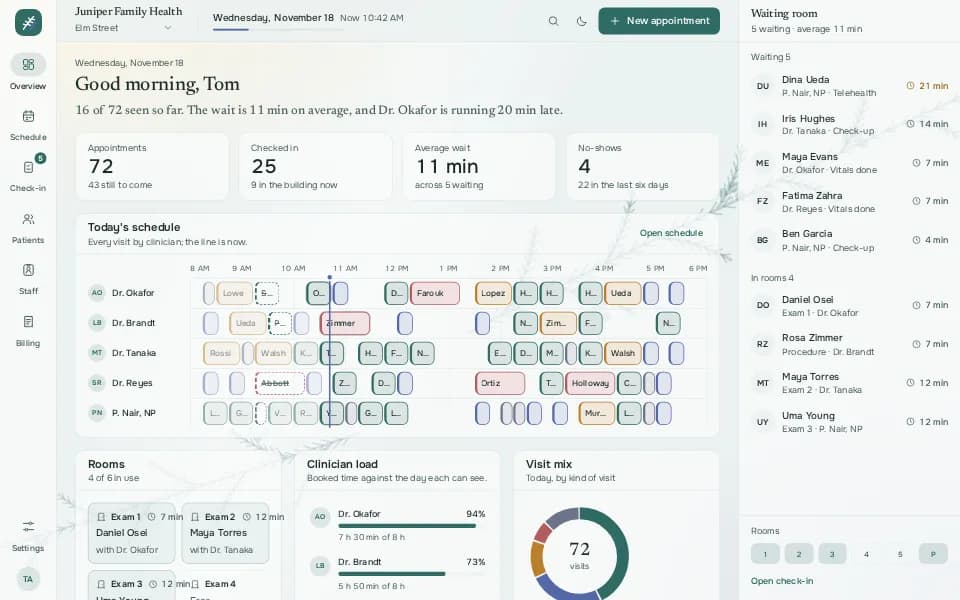
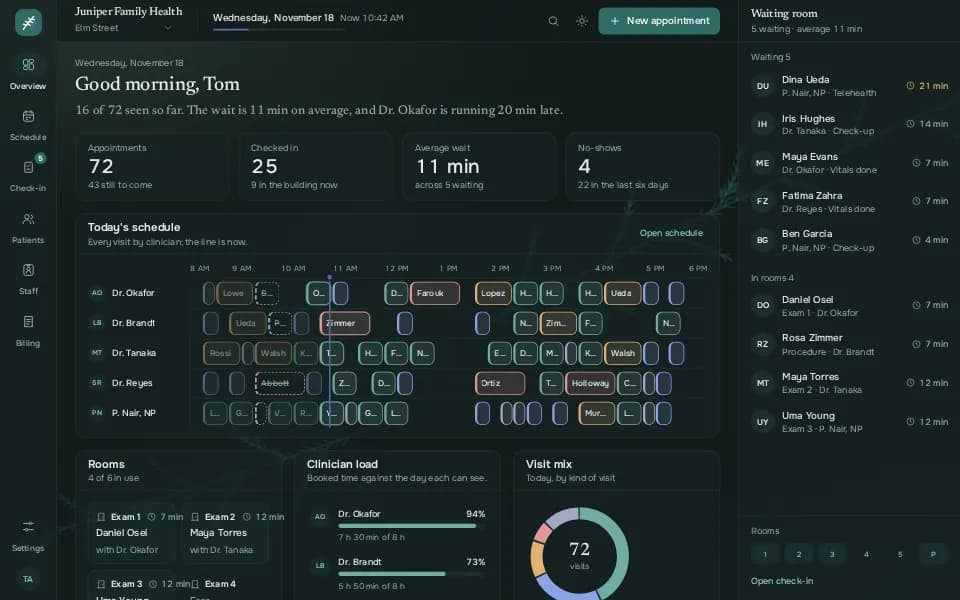
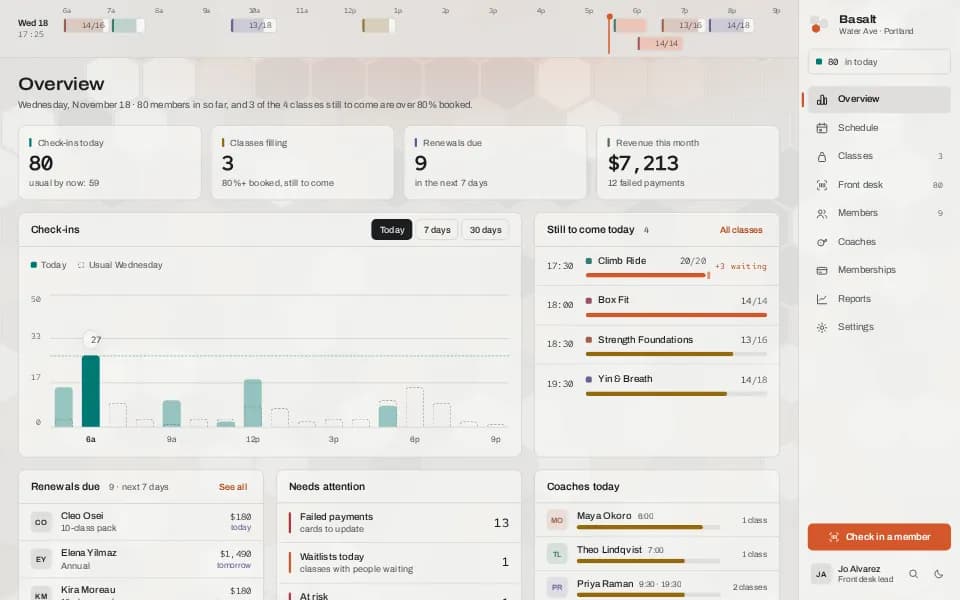
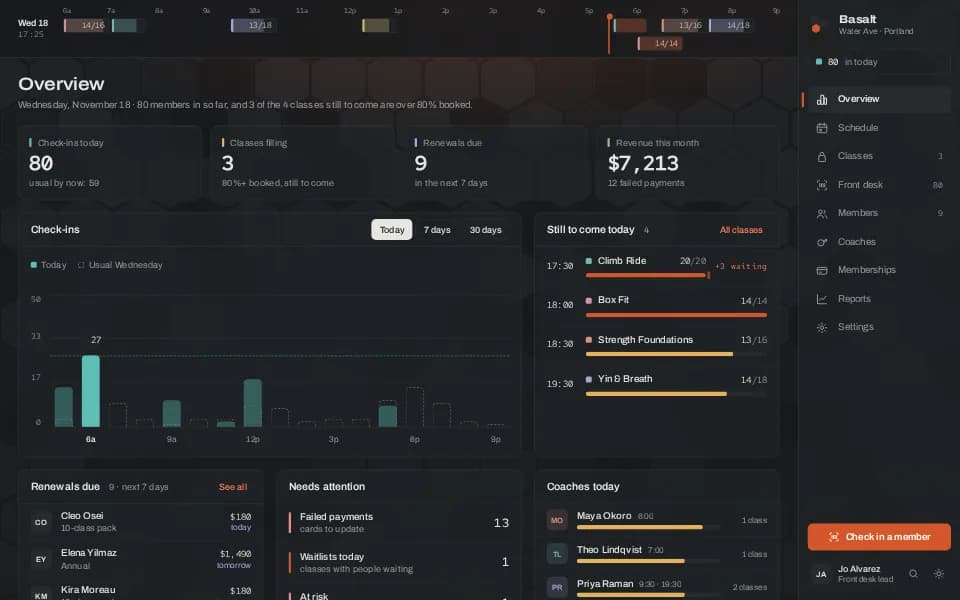
A physiotherapy clinic's workspace: a goniometer dial for a nav, a day book by therapist and table, and drawn exercise figures that move through their reps.
Web
10 stron
$69
Adres strony: /
Więcej poniżej ↓
Wbudowane
Co dostajesz
Jasny i ciemnyUżywa kolorów twojego motywu
Komputer, tablet i telefonEkrany, dla których powstał
Pakiety…
Rozmiar kodu…
Oszczędza baterię30 fps, bezczynny w spoczynku
Pauza, gdy niewidocznyPoza ekranem lub w innej karcie
Mniej ruchuSpokojny dla osób, które o to proszą
Sprawdzane przy każdej zmianie
Sprawdzanie typówTypeScript w trybie strict
Lint i formatowanieESLint · Prettier
Testy i buildZrzuty ekranu w jasnym i ciemnym
Audyt bezpieczeństwaBrak ostrzeżeń wysokich i krytycznych
Wiek pakietówKażda wersja publiczna od 7+ dni
CPU w spoczynkuPoniżej pół rdzenia w spoczynku, ≤ 30 fps
Kod
Coś nie tak z tą aplikacją? Wyślij opinię ›
physio-willowReact
physio-willow.tsxpageThe page: the sections in order.
content.tscontentEvery word and number: brand, nav links, each section's copy and lists.
theme.tsthemeThe colors as CSS variables, and the shared class strings.
README.mdreadmeHow to install it, and where to change the text, colors and form.
pagespagesOne file per page: the sections it shows, in order.
daybook.tsxpageThe day book (#/daybook): one day's visits by therapist or by table, with the day, the view, the search and the filters kept in the address; visits drag to a new time or lane (with Undo), open to change their status, and the waitlist books in one step.
exercises.tsxpageThe exercise library (#/exercises): every exercise as its moving figure, searched, filtered and sorted in the address, added or edited in a form, and picked in bulk to delete (with Undo) — one still in a program stays and says why.
insurance.tsxpageInsurance (#/insurance): each patient in care with the visits their authorizations leave, searched, filtered (running low, asked, self pay) and sorted in the address; picked in bulk to ask the payer for more; a new authorization is added in a form, and the payers are summed up below.
overview.tsxpageThe Overview (#/): today's tiles, the day by therapist and who is on a table now, range and pain across patients, then the lists that need a hand.
patient.tsxpageOne patient's chart (#/patients/<id>): who they are and where they stand on their goal, then tabs for the summary, visits, progress charts, exercise program, home plan and insurance; Back returns to the list as it was filtered.
patients.tsxpagePatients (#/patients): everyone the clinic treats, searched, filtered and sorted in the address (so Back keeps it), picked in bulk to assign a therapist, discharge or archive (with Undo), and opened to their own chart.
plans.tsxpageHome plans (#/plans): every exercise plan sent home, how each patient is keeping up (the last 14 days logged), searched, filtered and sorted in the address; picked in bulk to send again or stop (with Undo); Send home plan opens the sending form with its phone preview.
program.tsxpageThe program builder (#/programs/<id>): name it, add exercises from the library, set each dose, reorder by dragging or with the keyboard, Undo any step (also Ctrl+Z), and Save once it checks out; Back returns to the list as it was filtered.
programs.tsxpageExercise programs (#/programs): every program and template as a card of moving figures, searched, filtered and sorted in the address, picked in bulk to delete (with Undo), and New program starts one empty or from a template, for a patient or not.
progress.tsxpageProgress (#/progress): how patients in care are moving — range gained by region and by therapist, or pain over the weeks — then every patient's first and latest reading, filtered by region or stall in the address, picked in bulk to discharge once their goal is met (with Undo).
settings.tsxpageSettings (#/settings): tabs kept in the address for the clinic (name, hours, open days, usual visit), the team, the tables, the message templates, how the app looks, and resetting the demo data.
sign-in.tsxpageThe sign-in page (#/sign-in): the form on a card beside a figure raising its arm through a measured arc, without the dial and top bar.
sectionssectionsOne file per page section.
account-menu.tsxsectionThe account menu under the avatar in the top bar: who is signed in, Settings and Sign out; the arrow keys move through it, Escape, Tab or a click outside closes it.
add-authorization.tsxsectionAdd authorization: the patient, the payer's reference, how many visits it covers and the dates it runs between.
appearance.tsxsectionSettings → Appearance: the style (Glass or Solid) and the theme (System, Dark or Light), each choice shown as a small preview.
booking-dialog.tsxsectionA visit in the day book, new or booked: who, when, how long, with whom on which table, and for a booked one its status (arrived, done, no-show, cancelled) and Delete with Undo.
builder-head.tsxsectionThe builder's head: the program's name (and who it is for), Active, Undo and Save, and what to fix before it saves.
day-grid-keys.tssectionHow visits move in the day book's grid: dragged (pointer or touch) or by the keyboard path, read out as it goes; both end in one commit to a time, length and lane.
day-grid.tsxsectionThe day book's grid: one lane per therapist (or table), the clinic's hours down the side and a line at now. Visits drag to another time or lane and stretch at their bottom edge (pointer or touch), or move with the keyboard: Space picks one up, the arrows move it, Shift with up and down changes its length, Space drops it and Escape puts it back. Moved visits glide to their new place.
day-visit.tsxsectionOne visit block in the day book's grid (drag to move, the bottom edge to stretch), and the grid's marks: the hour lines, the dashed spot a dragged visit came from and the line at now.
daybook-nav.tsxsectionThe day book's top controls: the day before, today and the day after, and the switch between lanes by therapist and by table (both kept in the address).
dial-dock.tsxsectionThe phone's dock: the four main pages and More along a shallow arc, a tick that slides along the arc to the page shown; More opens the full dial in a sheet.
dial-nav.tsxsectionThe rail's goniometer: the pages as ticks around a half-circle arc, an arm that points at the page shown and sweeps to the next one, the swept wedge filled, and the angle read out under it.
exercise-form.tsxsectionAn exercise, new or edited: its name, the cue the patient reads, the region and equipment, and the drawn figure that shows it, picked from moving previews.
exercise-library.tsxsectionThe builder's library: every exercise, searched and narrowed to a region (the program's own at first), each a still figure and an Add button; ones already in the program say so.
new-program.tsxsectionNew program: a name, the patient it is for (none makes a template), the region, and where it starts — empty, or a copy of a template or another program — then the builder opens on it.
overview-more.tsxsectionThe Overview's lower rows: range gained by region and pain across the weeks (each opens Progress), then the home plans to nudge, the visits running out and the latest visits.
overview-today.tsxsectionThe Overview's top: four tiles that open their filtered lists, today's visits as one ribbon per therapist with the now line, and who is on a table now, their exercise moving beside them.
patient-care.tsxsectionA patient's care tabs: the exercise program with its moving figures and doses, the home plans sent with the last 14 days logged, and the insurance cover (visits used and left, authorizations, asking the payer for more).
patient-columns.tsxsectionThe patients list's columns: name with condition, region, therapist, range gained, pain, visits left and the next visit.
patient-form.tsxsectionA patient, new or edited: who they are and how to reach them, what is being treated, by whom, the motion and angle the plan of care aims for, and who pays.
patient-progress.tsxsectionA patient's progress tab: the range of one motion per visit against the goal (the motion picked in the address, the goal motion by default), the pain per visit, and every measured motion's first, latest and change.
patient-summary.tsxsectionA patient's summary tab: a drawn body with the treated joint marked on its side, a goniometer arc from the first reading to the latest and on to the goal, how to reach them, and the next visits.
patient-visits.tsxsectionA patient's visits tab: every visit newest first with its readings, pain and note; Record visit (or a visit's Edit) opens a form whose goal reading joins the range chart as it is typed, and Delete takes a visit away with Undo.
plan-columns.tsxsectionThe home plans list's columns: patient, program with its first figure, channel, day, status and the last 14 days logged.
program-items.tsxsectionThe builder's exercise list: each row a moving figure, its name and cue, its dose (sets, reps, hold, days a week) and Remove; rows reorder by their handle with a pointer, a finger or the keyboard.
progress-charts.tsxsectionThe progress page's tiles (goals met, stalled, average gain, average pain drop — each opens the list filtered) and its charts.
rail.tsxsectionThe wide screen's rail: the clinic's name, the goniometer dial that is the nav, and a live card with who is on the tables and who is next.
send-plan.tsxsectionSending a home exercise plan: the patient, their program, how it goes out (email, text, printed) and when, and the message — with a phone beside it showing what the patient will get, figures moving.
settings-tables.tsxsectionSettings → Tables: the treatment tables in the day book's order (drag the grip, or Space and the arrows, with Undo), each removable, and a form to add one.
settings-team.tsxsectionSettings' Team and Tables tabs: therapists with their role, hours and caseload, added, edited, set away or removed (not while they still have patients); tables, gym and pool added, renamed, removed (not while booked) and reordered by dragging or the keyboard — the day book's columns follow the order.
sign-in-form.tsxsectionThe sign-in form: email and password with their errors under them, show or hide the password, keep me signed in, and the demo account to fill in; a wrong pair says so above the fields.
top-bar.tsxsectionThe top bar: the page's name, search, the clinic's clock, New booking, the motion pause, the theme switch and the account menu.
visit-form.tsxsectionThe record-visit form: day, kind, therapist, a reading per motion of the region (the goal one joins the range chart as it is typed), pain and a note.
partspartsWhat several sections share.
buildbuildWhat several sections share.
cardscardsWhat several sections share.
rise.tspartThe rise card style: cards rise and fade in (24px, a hair smaller), one after another.
rowsrowsWhat several sections share.
fill.tspartThe fill row motion: each row on screen draws in from its start edge (left to right, right to left in Arabic).
core.tsxpartThe page's build-in: on first load and on every page switch the cards arrive in the app's card style and their contents build: bars grow, lines draw, rings fill, the list rows on screen ripple in in the app's row motion, numbers count. The two picks are wired in ./index.ts.
index.tspartThe app's two build-in picks, wired here and nowhere else: its card style (cards/) and its row motion (rows/). npm run new-app copies only the two it is given (--cards, --rows).
appearance.tspartHow the app looks right now: dark or light, Glass or Solid, from Settings → Appearance, the page around it and the Style setting.
avatar.tsxpartA person's initials in a round badge, tinted with the primary.
backdrop.tsxpartThe Glass style's backdrop: what shows through the see-through panels, faded out in Solid; with followBackground it paints your background instead.
bar-chart.tsxpartA bar chart: bars grow in, and the picked bar (in the primary), its guide line and tooltip glide to the bar you point at or pick with the arrow keys; a new range morphs the bars instead of drawing them again.
bulk-bar.tsxpartThe bar that rises over a list once rows are picked: how many, the actions for all of them, and a way to drop the pick.
card.tsxpartA page's card: a heading, an optional hint and a link to the list behind it, then what it shows.
chart-path.tspartA chart's line and area paths in each curve Chart Studio has (straight, smooth, step), and the classes that let a Chart Studio curve swap them in CSS.
command-palette.tsxpartThe command palette (⌘K or Ctrl K): type to find a page or an action, then Enter.
confirm.tsxpartA guarded action's second step: a small dialog that says what will happen, with Cancel and the action in red.
data-table.tsxpartA list's table: columns that sort (kept in the address, so Back keeps them), a pick box per row for bulk actions, still skeleton rows while loading, and rows you move through with the arrow keys, Home and End and open with Enter or a click.
dial.tspartThe pages as degrees on the range-of-motion dial: Overview at 0°, Settings at 180°, a detail page at its list's angle.
dialog.tsxpartA centered modal dialog (a form, a confirm): rises in, plays its way out, Escape or a tap outside closes it, and the focus goes back where it was.
field.tsxpartA labeled form field (a text input or a select) with its error line under it, tied together for screen readers.
figure-poses.tspartThe exercise figures' moves: two poses each (start and end), drawn as a side-view line figure facing right, and the body point that stays put while it moves (a foot on the floor, the shoulders on a mat).
figure.tsxpartAn exercise figure: a line drawing that moves through its exercise again and again (start pose to end pose and back), with the start pose as a faint ghost. One shared clock draws every figure on screen at most 30 times a second; figures off screen, in a hidden tab, with live motion paused or reduced motion stay still at their end pose.
filters.tsxpartA list's search and filters, all kept in the address: a search box, a select per filter, the active ones as chips that remove themselves, and Clear filters.
format.tspartHow numbers, angles, times and dates are written: by Intl, the current language's way ("1,240", "1.240"; "2:30 PM", "14:30").
glyphs.tsxpartThe nav's icons by name, so the dial, the dock and the search palette can name a page's icon as data (parts/dial.ts).
icons.tsxpartThe logo and the line icons, drawn on a 24-unit grid with round ends.
language.tspartThe app's language: the words every page reads (useWords), how dates and numbers are written (parts/format.ts) and the reading direction. Picked in Settings → Appearance (or System: the page's own language) and kept in this browser; English is built in, any other language loads only when it shows (locales/list.ts).
line-chart.tsxpartA line chart with a soft area under it, in the primary: the line draws itself in, the latest point marked, and new values roll the line to its new shape.
live.tspartThe one live clock: a tick a second while the tab is visible and live motion is on; every 60 ticks the demo's time moves on a minute and what is on screen reloads (now lines, who is on a table). The same pause stills the exercise figures (parts/figure.tsx).
moments.tspartThe animations the sidebar, the sign-in card, menus, dialogs, the phone sheet and toasts play, timed by their moments in theme.ts.
motion.tspartMotion helpers: the reduced-motion check, live, and run-once-in-view.
popover.tsxpartA menu that unfolds from its button (a row's actions, the alerts, a sort pick): drawn in the window layer so no table or card clips it; arrow keys walk it, Escape, Tab, a click outside or a scroll folds it away, and it plays its way out unless motion is reduced.
rom-chart.tsxpartA patient's chart per visit: the goal motion's angle as a line that draws itself in toward a dashed goal line, and the pain score (0 to 10) as bars under it.
router.tspartThe page switcher: reads the app's page from the address hash (#/settings, #/?status=open).
scroll-to-view.tspartScrolls an element into view moving only its own scroll container, never the page around it.
select-box.tsxpartA native select dressed to match the app: no browser arrow, a drawn chevron instead.
session.tspartWhether someone is signed in: a first visit is signed in as the demo account; Sign out holds until the next sign-in, and a sign-in without Keep me signed in lasts only this tab.
sheet.tsxpartThe phone sheet: a modal panel that springs in from the left with the sidebar; Escape, a tap outside or its close button slides it away.
states.tsxpartThe data states every page shares: a calm skeleton while loading, an error with Try again, and an empty note with a way out.
store.tspartThe app-wide state several parts share: the theme mode and style (kept in the browser) and the toasts.
tabs.tsxpartA detail page's tabs: links that set ?tab= in the address, so Back returns to the tab and a link can open one; the bar scrolls sideways on a phone and a bar slides under the current tab.
ticker.tsxpartA number that counts up while its page builds in, and rolls to its new value whenever it changes.
toasts.tsxpartThe toasts: short notes that confirm what just happened, bottom right.
use-api.tspartLoads data through the fake API with loading, error and retry, remembering each answer so a page you come back to shows at once.
use-book-drag.tspartDragging a visit in the day book: a mouse or pen drag starts at once, touch after a short press (a swipe still scrolls); the visit follows the pointer in quarter hours and lanes (therapists or tables), its bottom edge stretches its length, the page scrolls near the window's edges, Escape puts it back.
use-dialog.tspartOpens and closes a native <dialog> as a modal; on close it plays its way out first (data-closing), so dialogs, sheets and the palette never vanish in one frame.
use-reorder.tspartReordering a list by its handles: a pointer (mouse, pen or touch — the handle doesn't scroll the page) lifts a row that follows it while the others slide out of the way, Escape puts everything back; from the keyboard Space or Enter lifts the row, the arrows move it and Space or Enter drops it.
datadataThe pretend data and the fake API: swap it for your backend.
api.tsdataThe fake API: every page loads and saves through data/*-api.ts, and this file holds the instant reads the first paint starts from, the demo switches and sign-in. Wiring a real backend happens in data/ only.
book-api.tsdataThe day book: one day's bookings by therapist or by table, the waitlist beside it, and booking, moving, resizing, checking in and cancelling.
clinic-api.tsdataThe clinic's settings: hours, message templates, therapists and treatment tables, each added, edited, reordered and removed; and resetting the demo data.
clock.tsdataThe demo's time of day: it opens at 10:42 on the demo's today and moves on a minute for every minute the app is open (parts/live.ts ticks it). A real backend uses the real clock.
dates.tsdataThe demo's calendar: today is fixed, so the pretend visits, bookings and plans always sit around it; days are ISO strings ("2026-11-24").
db.tsdataThe clinic's records held in memory for the demo, the short wait every call makes, the demo switches and the ids new records get.
insights-api.tsdataOverview and Progress: today's numbers, the day ribbon by therapist, who is on a table now, range-of-motion gain by region, the pain trend, plans to nudge, authorizations running out and the clinic's outcomes.
insurance-api.tsdataInsurance: visits left per patient on their authorizations, the payers, and adding, editing and deleting authorizations and asking a payer for more visits.
motions.tsdataThe joint motions the clinic measures with a goniometer: the region each belongs to and its normal range in degrees.
patients-api.tsdataPatients: the list with each one's numbers, one patient's chart (visits, measurements, program, home plan, insurance), and adding, editing, assigning, archiving and recording visits.
plans-api.tsdataHome exercise plans: what was sent to whom and how often they log it, and sending, scheduling, resending and revoking a plan.
programs-api.tsdataExercise programs and the exercise library: the lists, one program for the builder, and creating, saving, duplicating and deleting programs and exercises.
rules.tsdataThe clinic's counting rules in one place, so a number on Overview and the list it opens always agree: visits left on an authorization, range-of-motion gain, pain drop, plan adherence and plateaus.
seed-care.tsdataThe clinic's history around the demo's today, made from a steady seed: each patient's visits with measurements and pain, the bookings of the weeks around today, programs, home plans and authorizations.
seed-clinic.tsdataThe clinic's people and places: therapists, treatment tables, payers, the exercise library and the clinic's settings.
seed-patient-rows-b.tsdataThe clinic's patient rows, second half (same shape as the first).
seed-patient-rows-c.tsdataThe clinic's patient rows, last part (same shape as the first).
seed-patient-rows.tsdataThe clinic's patient rows, first half: name, born, region, condition, side, therapist, status, days since the plan of care started, goal motion and target, payer.
seed-people.tsdataThe clinic's patients: who they are, what brought them in, who treats them, the motion their plan of care tracks and who pays.
types.tsdataThe clinic's record shapes: therapists, tables, patients, visits with their measurements, bookings, exercises, programs, home plans and insurance authorizations.
localeslocalesEvery word the app shows, one JSON file a language; list.ts names them.
ar.jsoncontentOne language's words, with the keys of en.json.
de.jsoncontentOne language's words, with the keys of en.json.
en.jsoncontentOne language's words, with the keys of en.json.
es.jsoncontentOne language's words, with the keys of en.json.
fr.jsoncontentOne language's words, with the keys of en.json.
list.tscontentThe languages the app offers, in the picker's order: one JSON file each, en.json the source. To remove one, delete its file and its line; to add one, copy es.json, translate it and add a line. English is built in; the rest load only when picked. TypeScript checks each file has en.json's keys, scripts/check-locales.mjs the rest (no extra keys, plural forms, {slots}).
pt.jsoncontentOne language's words, with the keys of en.json.
zh-Hans.jsoncontentOne language's words, with the keys of en.json.
physio-willow.tsx
The page: the sections in order.
Ładowanie…
Dobry do
Physio and rehab clinics: booking tables and therapists, building exercise programs and tracking range of motion and pain.
Jak to działa
The dial's arm sweeps to each page; visits drag across the day book; figures move through their exercises; charts track each visit.
Jak używać
Edit words in locales/, colors and fonts in theme.ts, and swap the bodies in data/*-api.ts for calls to your backend.
Bez dodatkowych pakietówTylko React, nic więcej
181,7 kB po gzip · 120 plikówCała paczka do pobrania