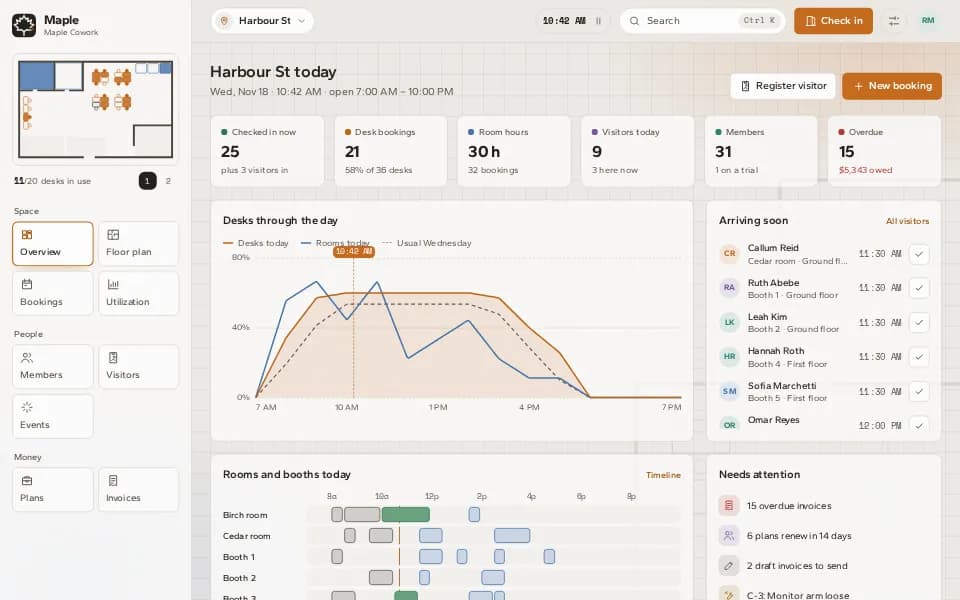
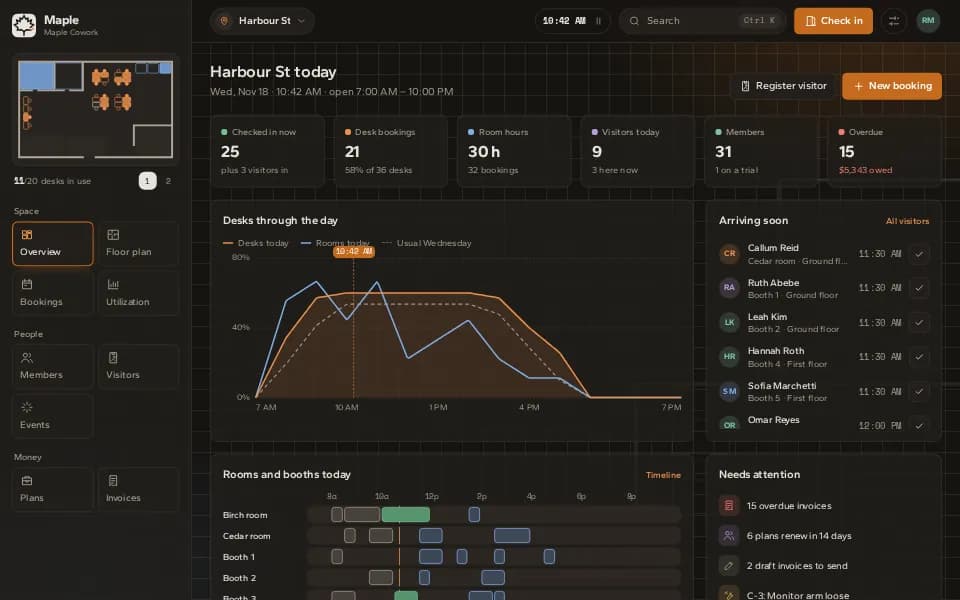
A dog-walking business's work app in flat minimal: walker lanes as columns you drag walks between, routes drawn with a paw-print trail, walk reports, pets, clients, invoices and eight palettes.
Web
11 صفحات
$69
صفحے کا پتہ: /
نیچے مزید ↓
پہلے سے شامل
آپ کو کیا ملتا ہے
لائٹ اور ڈارکآپ کی تھیم کے رنگ استعمال کرتا ہے
ڈیسک ٹاپ، ٹیبلٹ، اور فونوہ اسکرینز جن کے لیے یہ بنایا گیا
پیکجز…
کوڈ کا سائز…
بیٹری پر ہلکا30 fps، ساکن ہو تو رک جاتا ہے
چھپنے پر رک جاتا ہےاسکرین سے باہر یا دوسرا ٹیب
کم حرکتجو لوگ کہیں ان کے لیے پرسکون
ہر تبدیلی پر جانچ
سکیورٹی جانچ 28 نومبر
ٹائپ چیکTypeScript strict
لنٹ اور فارمیٹESLint · Prettier
ٹیسٹ اور بلڈلائٹ اور ڈارک اسکرین شاٹس
سکیورٹی آڈٹکوئی ہائی یا کریٹیکل ایڈوائزری نہیں
پیکج کی عمرہر ورژن 7+ دن سے عوامی
فارغ CPUآرام میں آدھے کور سے کم، ≤ 30 fps
کوڈ
اس ایپ میں کچھ گڑبڑ ہے؟ فیڈبیک بھیجیں ›
walks-terrierReact
walks-terrier.tsxpageThe page: the sections in order.
content.tscontentEvery word and number: brand, nav links, each section's copy and lists.
theme.tsthemeThe colors as CSS variables, and the shared class strings.
README.mdreadmeHow to install it, and where to change the text, colors and form.
pagespagesOne file per page: the sections it shows, in order.
billing.tsxpageBilling (#/billing, #/billing/<id>): invoices with status filter, sort, bulk Send, Mark paid and Delete; done walks not billed yet per client with Create invoice; prepaid packages. One invoice opens as the page a client gets.
clients.tsxpageClients (#/clients, #/clients/<id>): every owner with their pets, key and walks this month; search, kind and key filters in the address, sort, bulk delete, CSV and New client; one client opens their page.
pets.tsxpagePets (#/pets, #/pets/<id>): every dog as a card with their needs, search, size and need filters in the address, sort, bulk delete, CSV and New pet; one pet opens their profile.
reports.tsxpageReports (#/reports?range=28): walks, revenue, distance and cancellations against the range before, revenue by day, walks per walker, repeat clients, services and top clients; the range morphs every chart in place.
routes.tsxpageRoutes (#/routes?walker=k1): pick a walker, see their day drawn on the map with a paw-print trail walking it, the distance and time on foot, and put the stops in another order or the shortest one.
schedule.tsxpageSchedule (#/schedule): the day's walker lanes at full height with a service filter, or the week as walkers by days, each cell opening that day.
settings.tsxpageSettings (#/settings): Appearance (theme, palette, language), what each service costs, and the business's name, hours and office.
sign-in.tsxpageThe sign-in page (#/sign-in): the form on a card, and beside it a deep ember panel where a paw-print trail walks a morning route across the map; without the top bar.
team.tsxpageTeam (#/team, #/team/<id>): every walker as a card with their area, how many dogs they take and their week's load; New walker; one walker opens their week, stats and regulars.
today.tsxpageToday (#/): the big day title, four numbers, the walker lanes as the main view with who is out and who needs care beside them, and the week, revenue, repeat clients and keys under them.
walks.tsxpageWalks (#/walks, #/walks/<id>): every walk with search, filters in the address, sort, bulk Mark done, Cancel and Delete, and CSV; one walk opens its report.
sectionssectionsOne file per page section.
account-menu.tsxsectionThe account menu under the avatar in the top bar: who is signed in, Settings and Sign out; the arrow keys move through it, Escape, Tab or a click outside closes it.
appearance.tsxsectionSettings → Appearance: the theme (System, Dark or Light, each a small preview), the palette (eight swatches, or the default from the Brand settings) and the language (System or one of locales/list.ts).
client-detail.tsxsectionOne client (#/clients/<id>): name and contact on top, tabs for their pets, keys and access, invoices and package, and a deep card with walks this month and Bill the done walks not billed yet; Edit and Delete.
client-form.tsxsectionAdd or change a client: name, email, phone, address, key tag, how to get in, where the key is and their vet.
day-head.tsxsectionThe big day title on Today, Schedule and Routes: the weekday large, the date under it, a step to the day before or after and back to today, and how many walks are booked and out.
dock.tsxsectionThe phone dock: the first four pages along the bottom with the gliding block, and More for the rest in a sheet that rises from the bottom.
invoice-detail.tsxsectionOne invoice (#/billing/<id>): laid out as the page the client gets (the business, Bill to, the lines and the total), with Send, Mark paid, Void and Delete beside it.
lanes-board.tsxsectionThe walker lanes: one column per walker for the day, an hour ruler on the start edge, walk cards placed by time, a now line; drag a walk to another walker or time and it drops into its new column.
packages.tsxsectionPrepaid packages: one card each with how many walks are left on a meter and when it runs out; New, Edit and Delete in a dialog.
pet-detail.tsxsectionOne pet (#/pets/<id>): name and breed on top, tabs for the profile, care (medication, feeding, vet), their walks and the owner with the key, a deep card with walk numbers and moods; Edit and Delete.
pet-form.tsxsectionAdd or change a pet: name, breed, owner, size, age, needs, walk notes, medication and feeding.
report-form.tsxsectionThe walk report: picked up and dropped off times, distance, pee, poo and water as toggles, the dog's mood and notes for the owner; Save, or Save and mark done.
sign-in-form.tsxsectionThe sign-in form: email and password with their errors under them, show or hide the password, keep me signed in, and the demo account to fill in; a wrong pair says so above the fields.
today-cards.tsxsectionThe cards around the lanes on Today: who is walking now (the deep card), pets that need care today, keys out and invoices to chase.
today-charts.tsxsectionThe chart cards under the lanes on Today: walks per day this week, revenue over the last four weeks and the share of repeat clients.
top-bar.tsxsectionThe top bar: the logo, search, New walk, the theme switch and the account menu, and under them the page tabs with a solid block that glides to the current one (phones get the dock instead).
walk-detail.tsxsectionOne walk (#/walks/<id>): its pets as the title, the report the walker writes (times, distance, pee, poo, water, mood, notes) with Save and mark done, the route from the office, the pets' care, and a deep summary card with walker, price and invoice.
walk-form.tsxsectionBook or change a walk: the client, which of their pets, the walker, the day, start, length and service; saves through the fake API and lands in the lanes.
walker-detail.tsxsectionOne walker (#/team/<id>): their name and area, tabs for this week's walks by day, stats (walks a week, distance, happy dogs) and their regular clients; Edit and Take off the rota.
walker-form.tsxsectionAdd or change a walker (name, phone, area, how many dogs at once), and a walker's walks in a week.
partspartsWhat several sections share.
buildbuildWhat several sections share.
cardscardsWhat several sections share.
wave.tspartThe wave card style: cards arrive in a wave by grid position from the top-left.
rowsrowsWhat several sections share.
avatar.tspartThe avatar row motion: each row's face (data-build="face") pops first, then the row's other parts follow from faint.
core.tsxpartThe page's build-in: on first load and on every page switch the cards arrive in the app's card style and their contents build: bars grow, lines draw, rings fill, the list rows on screen ripple in in the app's row motion, numbers count. The two picks are wired in ./index.ts.
index.tspartThe app's two build-in picks, wired here and nowhere else: its card style (cards/) and its row motion (rows/). npm run new-app copies only the two it is given (--cards, --rows).
appearance.tspartHow the app looks right now: dark or light from Settings → Appearance and the page around it, and the palette picked there.
avatar.tsxpartInitials in a round badge: a person on the raised neutral, a pet on the soft accent; no photos.
backdrop.tsxpartThe backdrop: a still drawing of park paths and round tree tops behind the page, in the ground and card colors only; with followBackground it paints your background instead.
book.tspartThe business's book in one load: walkers, clients, pets, walks, billing and routes through the fake API, with loading, error and retry for the page.
charts.tsxpartThe charts: column bars that open the list behind each, a line that morphs when its range changes, a ring for a share and side bars per walker. Every series is a chart shade, so a palette recolors them.
command-palette.tsxpartThe command palette (⌘K or Ctrl K): type to find a page or an action, then Enter.
day.tspartThe working day Today, Schedule and Routes show: today unless the day switch in the top bar moved it; kept while you move between pages.
dialog.tsxpartA centered modal dialog (a form, a confirm): rises in, plays its way out, Escape or a tap outside closes it, and the focus goes back where it was.
field.tsxpartA labeled form field (a text input or a select) with its error line under it, tied together for screen readers.
format.tspartHow numbers, money, times and dates are written: by Intl, the current language's way ("1,240", "1.240"; "9:30 AM", "9:30"; "Nov 19", "19 nov.").
glider.tspartThe marker that glides to the current item: the top bar tabs, the phone dock and segmented controls. A hard block on a soft spring that settles without overshoot; measured from each item's own box.
icons.tsxpartThe logo and the line icons, drawn on a 24-unit grid with round ends.
lane-drag.tspartDragging walks between walker lanes and times: mouse and pen at once, touch after a short press (a swipe still scrolls), the lifted card under the grab point, a gap where it lands, edge auto-scroll, Escape, and a keyboard path (Space, arrows, Space).
language.tspartThe app's language: the words every page reads (useWords), how dates and numbers are written (parts/format.ts) and the reading direction. Picked in Settings → Appearance (or System: the page's own language) and kept in this browser; English is built in, any other language loads only when it shows (locales/list.ts).
list.tsxpartThe list tools every list page shares: the search box, filter and sort selects, the bulk bar that appears with a selection, a confirm dialog and the CSV download.
moments.tspartThe animations the top bar, a page switch, a walk card that lands, the sign-in card, menus, dialogs, the phone sheet and toasts play, timed by their moments in theme.ts.
motion.tspartMotion helpers: the reduced-motion check, live, and run-once-in-view.
palettes.tspartThe eight palettes (the same as meta.json's presets): one accent (Primary), one neutral hue (Tint) and a deep neutral for second chart series (Secondary). theme.ts works every shade out of them.
route-map.tsxpartThe drawn map stand-in: streets, a park and the river, every client's home, a route through numbered stops, and a paw-print trail that steps along it (30 frames a second at most, paused off screen, in a hidden tab, with reduced motion or by its Pause button).
router.tspartThe page switcher: reads the app's page from the address hash (#/settings, #/?status=open).
scroll-to-view.tspartScrolls an element into view moving only its own scroll container, never the page around it.
select-box.tsxpartA native select dressed to match the app: no browser arrow, a drawn chevron instead.
session.tspartWhether someone is signed in: a first visit is signed in as the demo account; Sign out holds until the next sign-in, and a sign-in without Keep me signed in lasts only this tab.
states.tsxpartThe data states every page shares: a calm skeleton while loading and a page error with Try again.
store.tspartThe app-wide state several parts share: the theme mode and palette (kept in the browser) and the toasts.
ticker.tsxpartA number that counts up while its page builds in, and rolls to its new value whenever it changes.
toasts.tsxpartThe toasts: short notes that confirm what just happened, at the bottom end.
ui.tsxpartThe small parts every page shares: card, card heading, page heading, number tile, segmented switch with a gliding block, status chips, check boxes and a meter.
use-api.tspartLoads data through the fake API with loading, error and retry, remembering each answer so a page you come back to shows at once.
use-dialog.tspartOpens and closes a native <dialog> as a modal; on close it plays its way out first (data-closing), so dialogs, sheets and the palette never vanish in one frame.
datadataThe pretend data and the fake API: swap it for your backend.
account.tsdataThe demo account: who is signed in (the account menu shows them) and the email and password the sign-in page takes.
api.tsdataThe fake API: every page loads and saves through these functions, so wiring a real backend happens here only.
people.tsdataThe pretend people: six walkers, eighteen clients with their homes, keys and vets.
pets.tsdataThe pretend dogs: each with its owner, breed, size, age, needs, walk notes and medication.
rules.tsdataThe rules the fake API and the pages share, so a number on Today and the list it opens always count the same way: days, prices, routes, repeat clients.
seed.tsdataThe pretend business: three months of walks with reports, invoices, packages and prices.
types.tsdataThe shapes of the pretend data: walkers, clients and their pets, walks with their reports, invoices, packages and prices.
localeslocalesEvery word the app shows, one JSON file a language; list.ts names them.
en.jsoncontentOne language's words, with the keys of en.json.
es.jsoncontentOne language's words, with the keys of en.json.
list.tscontentThe languages the app offers, in the picker's order: one JSON file each, en.json the source. To remove one, delete its file and its line; to add one, copy es.json, translate it and add a line. English is built in; the rest load only when picked. TypeScript checks each file has en.json's keys, scripts/check-locales.mjs the rest (no extra keys, plural forms, {slots}).
walks-terrier.tsx
The page: the sections in order.
لوڈ ہو رہا ہے…
کس کے لیے بہتر
Dog walkers and pet sitters with a small team: the day's walks per walker, routes, pet care notes, keys, invoices and packages.
یہ کیسے کام کرتا ہے
Walk cards drop into walker columns as you drag them; a paw-print trail steps along each route; the tab block glides.
استعمال کا طریقہ
Edit words in locales/, colors in theme.ts (or pick a palette in Settings), and swap the bodies in data/api.ts for your backend.