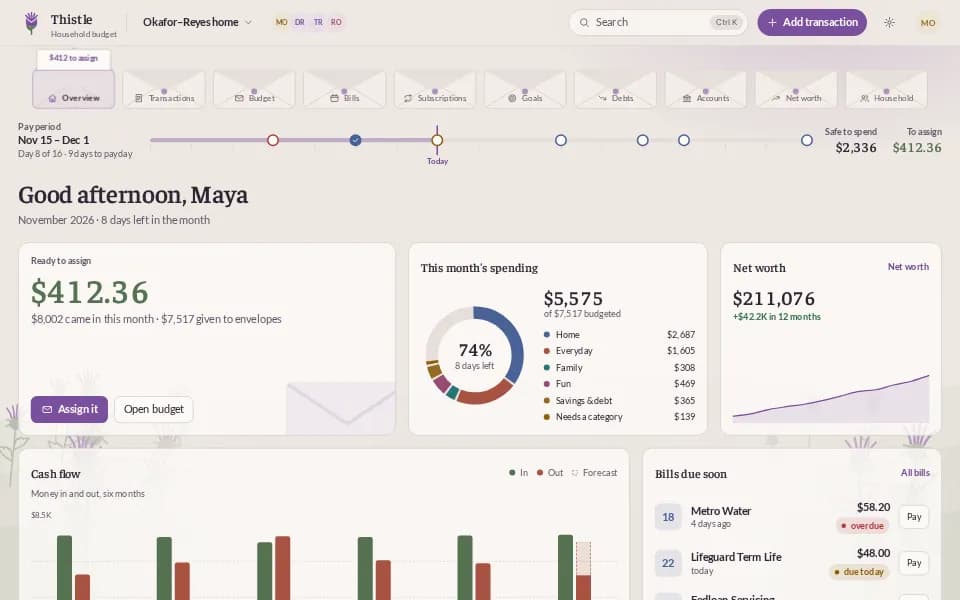
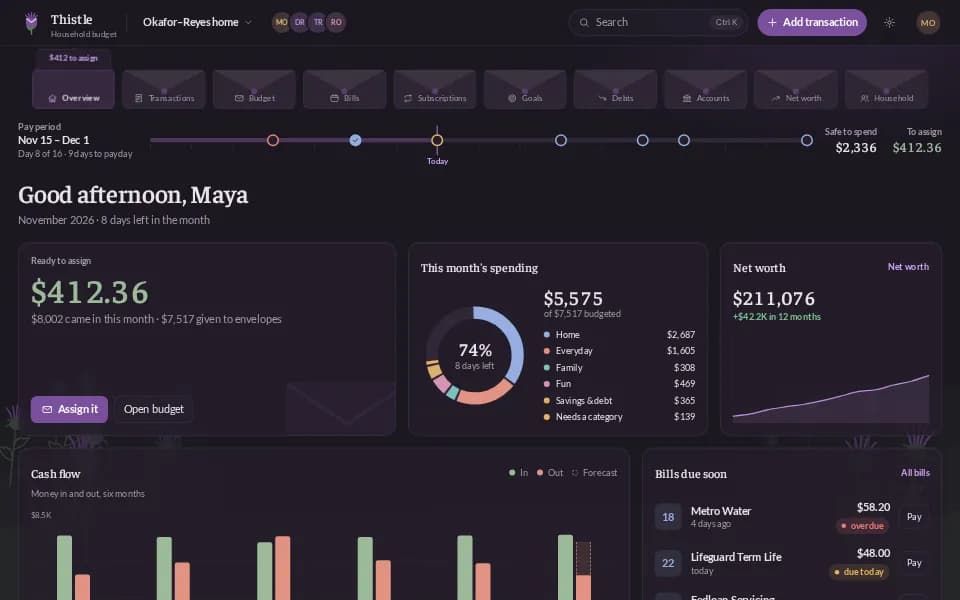
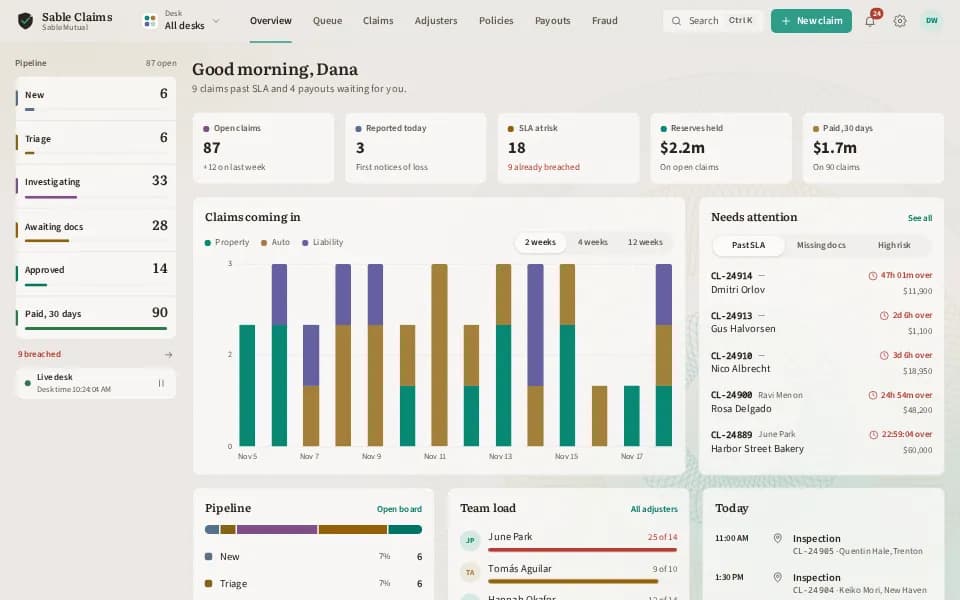
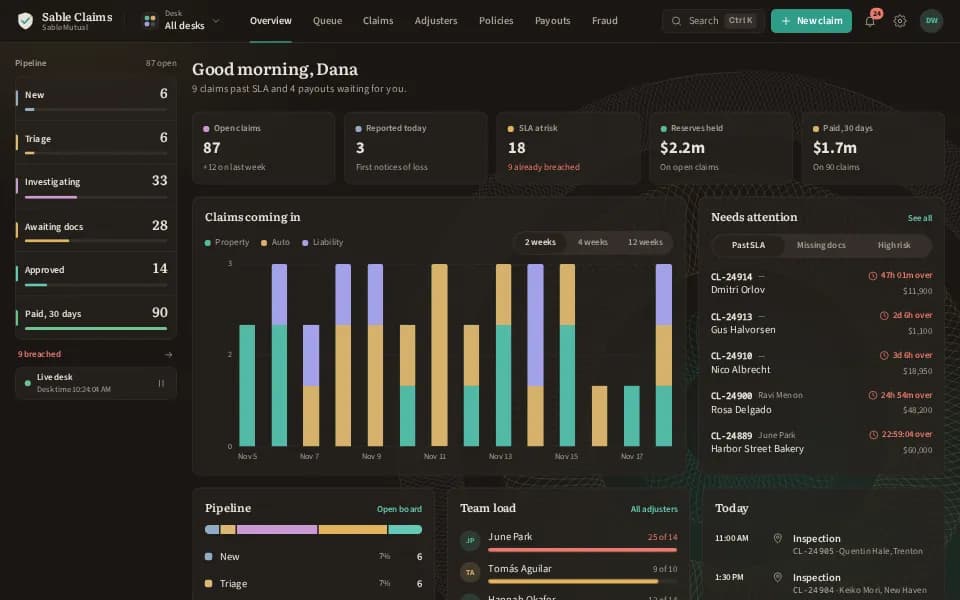
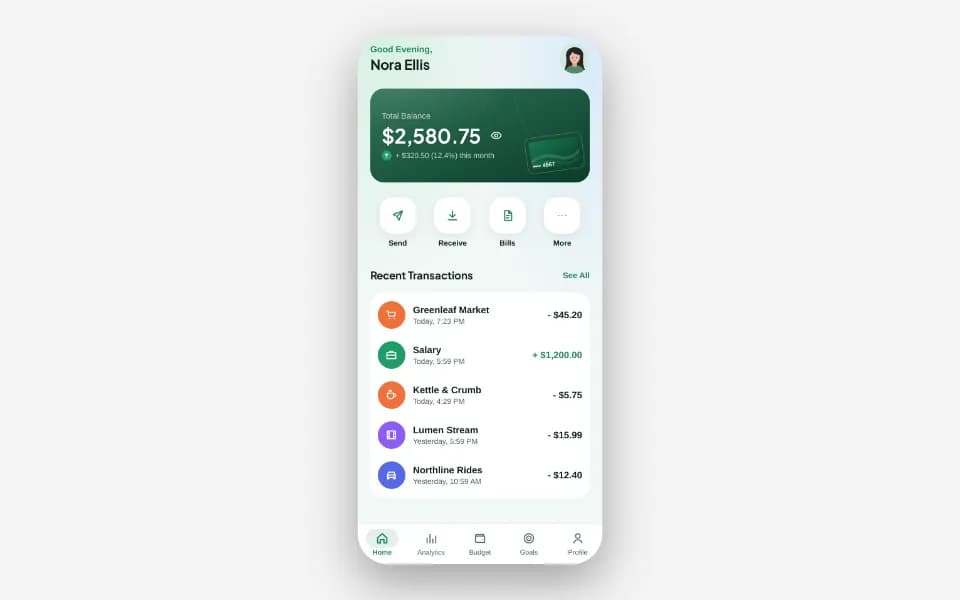
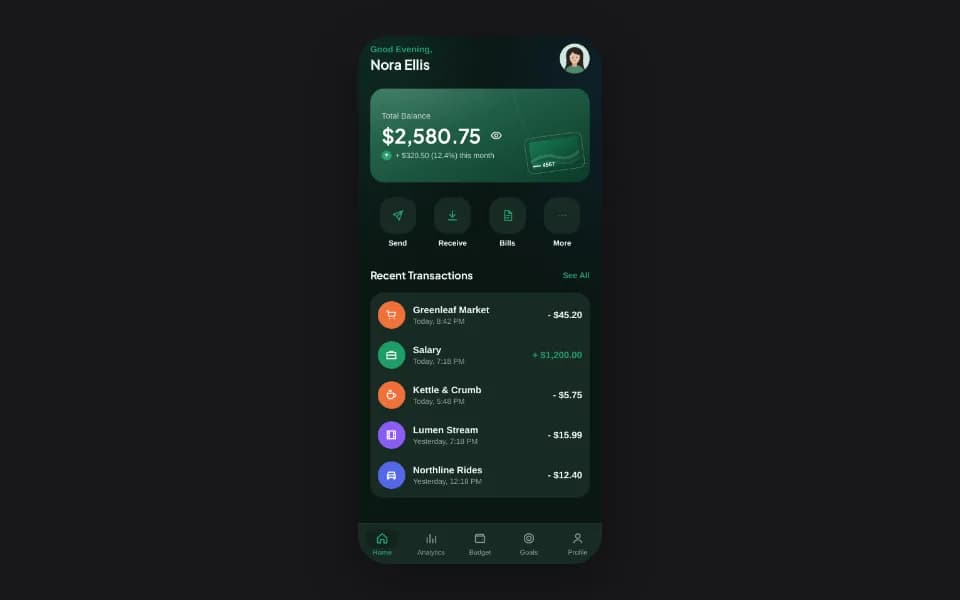
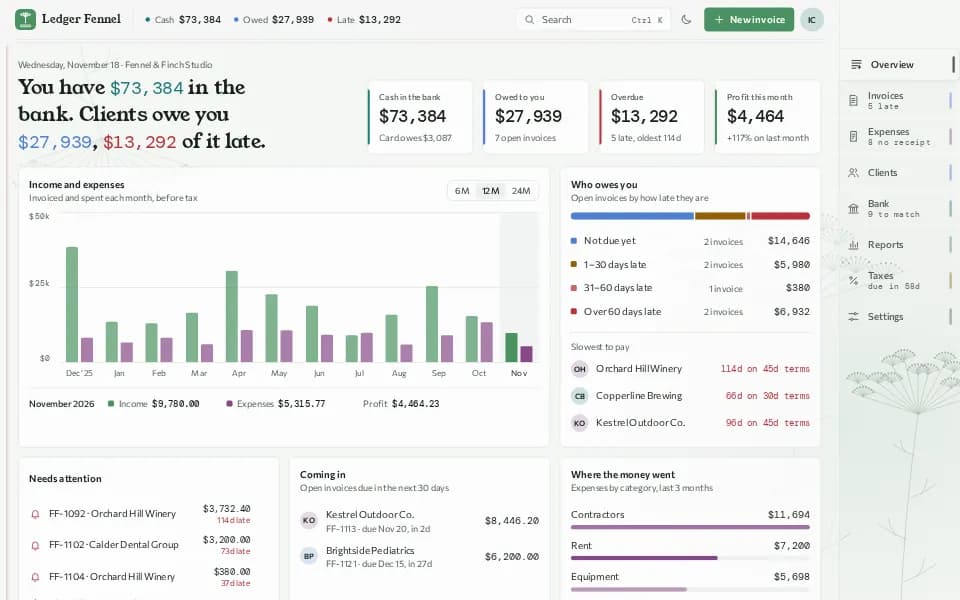
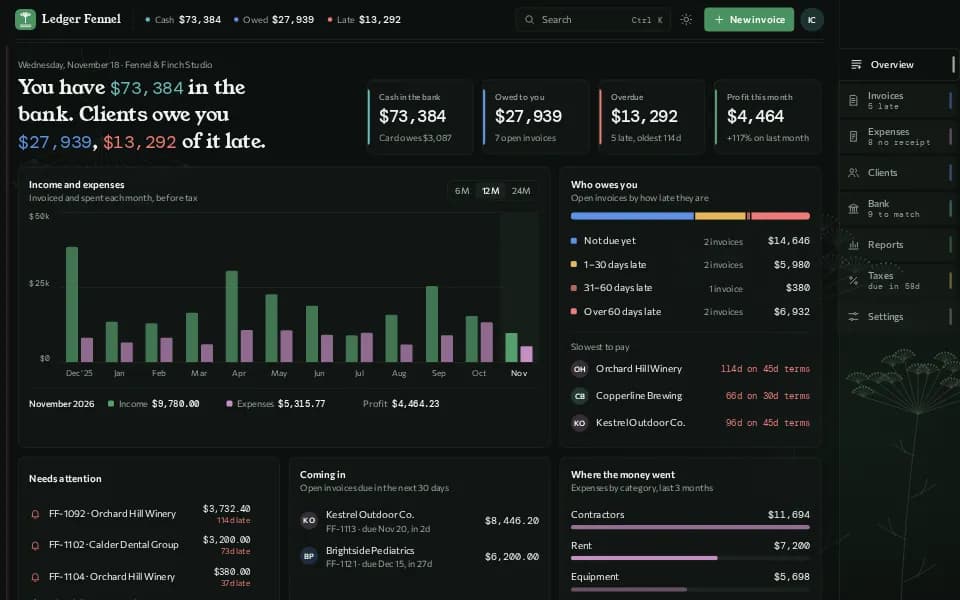
A finance dashboard in eight pages: navy glass panels with lit edges, teal and violet charts that rise like a tide, and live transactions that roll every total.
Web
9 trang
$99
Địa chỉ trang: /
Xem thêm bên dưới ↓
Tích hợp sẵn
Bạn nhận được
Sáng và tốiDùng màu theo giao diện của bạn
Máy tính, máy tính bảng và điện thoạiCác màn hình mục này được thiết kế cho
Package…
Dung lượng mã…
Tiết kiệm pin30 fps, nghỉ khi đứng yên
Tạm dừng khi bị ẩnNgoài màn hình hoặc tab khác
Giảm chuyển độngÊm dịu cho người có yêu cầu
Được kiểm tra ở mỗi thay đổi
Kiểm tra kiểuTypeScript strict
Lint và định dạngESLint · Prettier
Test và buildẢnh chụp sáng và tối
Kiểm tra bảo mậtKhông có cảnh báo mức cao hoặc nghiêm trọng
Tuổi của packageMọi phiên bản công khai từ 7 ngày trở lên
CPU khi nghỉDưới nửa nhân khi đứng yên, ≤ 30 fps
Mã nguồn
App này có gì không ổn? Gửi góp ý ›
finance-tidalHTML
index.htmlpageThe dashboard page and all its text, one marked block per section.
analytics.htmlpageThe analytics page and all its text, one marked block per section.
transactions.htmlpageThe transactions page and all its text, one marked block per section.
invoices.htmlpageThe invoices page and all its text, one marked block per section.
budgets.htmlpageThe budgets page and all its text, one marked block per section.
investments.htmlpageThe investments page and all its text, one marked block per section.
reports.htmlpageThe reports page and all its text, one marked block per section.
settings.htmlpageThe settings page and all its text, one marked block per section.
sign-in.htmlpageThe sign-in page and all its text, one marked block per section.
theme.cssthemeThe colors and fonts in one place.
sectionssectionsOne file per page section.
activity.csssectionThe activity feed: a new transaction slides in on top and pushes the rest down.
activity.jssectionThe live activity feed (sections/activity.tsx): the newest transactions with their direction, time and amount; a new one slides in on top and pushes the rest down. Loads through app.overview; the page's last script, so it holds the first paint (blocking="render").
aging.csssectionWhat clients owe (sections/aging.tsx): the bar split by how late the money is with its four buckets (each a filter), beside the Outstanding total and what falls due this week; side by side from @5xl.
aging.jssectionWhat clients owe (sections/aging.tsx): one bar split by how late the money is (each bucket a filter: ?age=d30), beside the Outstanding total (ticking to its value) and what falls due this week. app.aging { ageOf(invoice), show(invoices) }: sections/invoice-list.js loads the invoices and hands them over.
analytics-head.csssectionThe analytics page's head (pages/analytics.tsx): the compare switch beside its words.
analytics-head.jssectionThe analytics page's head (pages/analytics.tsx): the compare switch and the window (30 days, 90 days or 12 months) kept in ?compare=off and ?window=, and app.analytics(draw): the one analytics load for that window, shared by the analytics-kpis, cash-balance and spend-patterns blocks (an app.feed that follows the window).
analytics-kpis.csssectionAnalytics' four tiles (sections/analytics-kpis.tsx): one column, two from @lg, four from @6xl; the savings ring beside its words, then three numbers.
analytics-kpis.jssectionAnalytics' four tiles (sections/analytics-kpis.tsx): the savings rate as a ring that sweeps round, then monthly spend, runway in months and the average payment, each ticking up and rolling to the new window's numbers. Still skeletons until the first load is ready. Loads through app.analytics (sections/analytics-head.js).
appearance.csssectionSettings → Appearance (sections/appearance.js): two panels of picture choices, three in a row; the picked one has a primary edge (data-picked). Each preview: the ground (dark, light or half and half for System) or a panel over a light (Glass see-through, Solid not), with three small bars.
appearance.jssectionSettings → Appearance (sections/appearance.tsx): the style (Glass or Solid) and the theme (System, Dark or Light), each choice a small preview; a pick changes the whole app at once and is kept for every page (app.setLook, app.setMode). app.settingsTabs.appearance() makes the tab from template[data-settings-tab="appearance"].
breakdown.csssectionWhere it went: the donut beside its legend from @md; a row lights while its slice is picked.
breakdown.jssectionWhere the money went (sections/breakdown.tsx): a donut of the range's spending by category beside its legend; pointing at either picks the category, and a row opens its transactions. Loads through app.overview.
budget-bars.jssectionThe dashboard's budgets (sections/budget-bars.tsx): how much of each category's monthly budget is spent this month, as bars that fill in with their rows (parts/gauges.js app.barRow).
budget-overview.csssectionThe budgets page's top row (sections/budget-overview.tsx): one column, then the ring a third beside the pace from @5xl; the ring with its percent, the sum under it and the days left.
budget-overview.jssectionThe budgets page's top row (sections/budget-overview.tsx): the month's total spent as a ring that sweeps round (warm past the plan), with the days left, beside the spending so far against an even pace to the budget as two tides. Loads through app.budgets (sections/budgets-head.js).
budget-sheet.csssectionThe budget sheet (sections/budget-sheet.tsx): the Category pick while adding, the limit's slider beside its field, the error under them, the rollover row, Save and the red Remove budget.
budget-sheet.jssectionThe budget sheet (sections/budget-sheet.tsx): opens for ?edit=<category> once the month has loaded; a slider and a field for the monthly limit, the rollover switch and Save, after which every budget load rolls to the new numbers (the tank re-levels) and a toast says so; Remove budget takes it out with Undo. For ?add the same form, with a Category pick of the categories without a budget, adds one. Escape, the backdrop or Close drop the key and it plays its way out. Loads through app.budgets (sections/budgets-head.js).
budgets-head.csssectionThe budgets page's head (pages/budgets.tsx): the month between its two arrows; an arrow at the end of the books fades.
budgets-head.jssectionThe budgets page's head (pages/budgets.tsx): the month switcher kept in ?month= (this month unless it names one since the books began), and app.budgets(draw): the one load of that month's budgets, shared by the budget-overview, envelopes and budget-sheet blocks (an app.feed that follows the month).
cash-balance.jssectionAnalytics' cash balance (sections/cash-balance.tsx): the balance over the window as a tide, with the period before as a dashed line when comparing (?compare=off hides it and its key); the axis reads months for a 12-month window. Loads through app.analytics (sections/analytics-head.js).
cash-flow.jssectionCash flow (sections/cash-flow.tsx): money in and money out as running totals over the range, two tides rising side by side; the crosshair reads any day. Loads through app.overview.
dashboard-head.jssectionThe dashboard's head (pages/dashboard.tsx): the greeting for the part of the day on the visitor's clock, and the date range picker every block follows (parts/range-picker.js), and app.overview(draw): the one overview load for that range, shared by the kpi-row, cash-flow, profit-loss, breakdown and activity blocks (an app.feed that follows the range).
envelopes.csssectionThe budget envelopes (sections/envelopes.tsx): two tiles a row, four from @3xl, seven from @6xl; each a button that lifts on hover and presses in, with its name and flag, the tank, and what is left over what is spent; the empty note sits in a panel.
envelopes.jssectionThe budget envelopes (sections/envelopes.tsx): one tank per category with what is left (or how far over), a flag when spending runs ahead of the month, a click that opens its edit sheet (?edit=<category>), and Add budget (?add) while a category has none; with no budgets at all, an empty note says how to start. Shown once the month has loaded; after a save the tank re-levels. Loads through app.budgets (sections/budgets-head.js).
export-dialog.jssectionThe Export dialog (sections/export-dialog.tsx), open while the address ends in #export: pick a report and PDF or CSV; it builds the file and says when it is ready.
holdings.csssectionThe allocation treemap (a fixed height, filling its row from @6xl), the holdings column (the class it shows, then the table) and the dividends total.
holdings.jssectionThe holdings load (pages/investments.tsx, sections/holdings.tsx) and the three blocks it feeds: the allocation as a treemap whose tiles filter the holdings (?class=stocks), the holdings table (logo, shares, a 30-day sparkline, value and gain; sortable, searchable, a row opens Buy or sell) and the dividends ahead.
invoice-form.csssectionThe New invoice dialog's form (sections/invoice-form.tsx): client and due date side by side, the work lines (description, hours, rate, remove), the check line, Add a line, the total with tax, then Cancel and Create.
invoice-form.jssectionThe New or Edit invoice dialog (sections/invoice-form.tsx): invoices.html#new opens it empty (the head's New invoice link, or the palette's); invoices.html?edit=#INV-1047 opens it over that invoice's drawer to edit it (not a paid one). A client, when it is due (Due in for a new one, a Due date on or after the issue date for an edit) and the work lines you add or remove (the first line's markup is the pattern); the total with tax adds up as you type, the submit button checks every line (each failing field turns red, one line says why) and a new one saves as a draft. Each opening starts fresh; closing drops the #new or the ?edit from the address.
invoice-list.csssectionThe invoices page's status tabs with their counts and its table (pages/invoices.tsx; the table is parts/data-table.css): the client cell's mark and the amount.
invoice-list.jssectionThe invoices page's list (pages/invoices.tsx): the status tabs with their counts (?status=overdue; none lit while an age filter shows), the invoices table (parts/data-table.js) filtered by status and age, and the one invoices load they share with sections/aging.js; a failed load shows Try again in their place. A row opens its invoice: invoices.html#INV-1047 (sections/invoice-paper.js).
invoice-paper.csssectionAn invoice as paper in its drawer (sections/invoice-paper.tsx): the sheet with the brand and status, from and bill to, the dates, the work lines and the sums, then the actions. The drawer itself is parts/overlays.css .ft-drawer.
invoice-paper.jssectionAn invoice as paper in a drawer (pages/invoices.tsx, sections/invoice-paper.tsx): invoices.html#INV-1047 opens it; from and bill to, the work lines with hours and rate, subtotal, tax and total, and the actions that fit its status (Send to client for a draft, Mark paid, Send reminder, Edit, Duplicate, Delete with Undo). Edit adds ?edit to the address, which opens sections/invoice-form.js over the drawer. Closing (Esc, the close button, a click beside it) drops the #INV-1047 from the address; sections/invoice-form.js follows #new the same way.
kpi-row.csssectionThe four headline numbers: one column, two from @lg, four from @6xl; the balance card glows.
kpi-row.jssectionThe dashboard's four headline numbers (sections/kpi-row.tsx): balance, income, expenses and net profit for the range, each ticking up with its change and a sparkline that draws in. Loads through app.overview (sections/dashboard-head.js), shared with the other dashboard blocks.
portfolio-card.csssectionThe portfolio block: the value card beside the chart from @2xl.
portfolio-card.jssectionThe dashboard's portfolio block (sections/portfolio-card.tsx): the total value and its change in a card beside the value's line over the picked reach (1M, 3M, 1Y, All).
portfolio-value.csssectionThe portfolio's value: the big number, its change and the range words on one line over the chart.
portfolio-value.jssectionThe investments page's hero (sections/portfolio-value.tsx): the portfolio's value and change, with its line over the picked reach (1W to All).
profit-loss.csssectionProfit and loss: revenue down to net profit, net profit in a lit row at the foot.
profit-loss.jssectionProfit and loss (sections/profit-loss.tsx): revenue down to net profit for the range, each ticking to its value with its change; net profit sits in a lit row at the foot. Loads through app.overview.
recent-invoices.csssectionThe recent invoices table: it scrolls sideways inside its panel on narrow screens.
recent-invoices.jssectionThe dashboard's latest invoices (sections/recent-invoices.tsx): number, client, amount, status and due date, with a menu per row (template[data-row-menu]) to view, mark paid or send a reminder. A link to one is invoices.html#INV-1048.
report-cards.csssectionThe report cards: one column, three from @3xl; each with its icon, name and line, a progress track that fills while the file is built, what it says and its button at the bottom.
report-cards.jssectionThe three reports you can build (sections/report-cards.tsx): Build fills a progress bar while the file is made, then the card turns to Ready with its download.
schedule-form.csssectionThe New or Edit schedule dialog's form (sections/schedule-form.tsx): report and how often side by side, then who gets it, then Cancel and Save.
schedule-form.jssectionThe New or Edit schedule dialog (sections/schedule-form.tsx): app.scheduleForm(schedule?) opens it, editing that schedule or, with none, adding one; it checks the email (the words are its data-error) before it saves.
schedules.csssectionScheduled reports: one row each, its name and who gets it, then the select and the switch (they wrap under on a phone).
schedules.jssectionScheduled reports (sections/schedules.tsx): each report with who gets it, how often (a select) and an on-off switch, saved at once; Edit (sections/schedule-form.js) and Delete (with Undo) per row and Add schedule.
settings-accounts.csssectionSettings → Accounts (sections/settings-accounts.js): a bank's name and when it synced (the sync icon turns twice while it syncs), the confirm's two buttons and the connect form.
settings-accounts.jssectionSettings → Accounts (sections/settings-accounts.tsx): each connected bank with when it last synced, Sync now, Disconnect after a confirm ([data-remove-dialog]), and a dialog to connect another ([data-connect-dialog]). app.settingsTabs.accounts(data) makes the tab from template[data-settings-tab="accounts"].
settings-alerts.jssectionSettings → Notifications (sections/settings-alerts.tsx): a switch for each kind of alert (the rows of template[data-settings-tab="alerts"], data-alert names its key), saved as soon as it flips. app.settingsTabs.alerts(data) makes the tab.
settings-password.csssectionSettings → Security → Password (sections/settings-password.js): the panel's title and hint over the three password fields, side by side from @2xl, with Change password under them.
settings-password.jssectionSettings → Security → Password (sections/settings-password.tsx): change the password — the current one, the new one twice, each checked, and the current one checked by the API. app.settingsPassword(section) wires the [data-password] panel of the security tab.
settings-profile.csssectionSettings → Profile (sections/settings-profile.js): the person's avatar, name and email above the fields (two columns from @2xl) and Save.
settings-profile.jssectionSettings → Profile (sections/settings-profile.tsx): name, email and business with their checks, and the currency the whole app writes money in. app.settingsTabs.profile(data) makes the tab from template[data-settings-tab="profile"].
settings-security.csssectionSettings → Security (sections/settings-security.js): the two-step switch's panel, the devices signed in (This device, or Sign out) and the Close account panel with its typed name.
settings-security.jssectionSettings → Security (sections/settings-security.tsx): two-step sign in, the password (sections/settings-password.js), where you are signed in (sign out any other device) and closing the account behind typing its name (data-typed). app.settingsTabs.security(data) makes the tab from template[data-settings-tab="security"].
settings.csssectionThe settings page (sections/settings.js): the tab list beside the picked tab (a row that scrolls sideways, a column beside the tab from @4xl), the tab's loading and error panels, and the helpers its tabs share: a column of panels (.ft-set-stack), a panel list of rows (.ft-set-list > .ft-set-row), a row's words (.ft-set-words with .ft-set-label), a control kept to its own width (.ft-set-start) and a red quiet button (.ft-set-danger).
settings.jssectionThe settings page (pages/settings.tsx): a tab list (profile, appearance, accounts, notifications, security) beside the picked tab, which lives in the address (settings.html#accounts). Each tab is a <template data-settings-tab> its section script turns into a view: app.settingsTabs[tab](data) → { node, update(data) } (appearance takes no data). A tab shows anew each time it is picked, so a half-typed form starts over, as in React.
sidebar.csssectionThe sidebar (in the wide aside and the phone sheet), and the plans dialog it opens.
sidebar.jssectionThe sidebar (sections/sidebar.tsx): marks the page you are on (the root's data-page) under a lit pill, flips the theme from its foot, opens the plans dialog (sections/plans-dialog.tsx) from the Pro card, and gives the phone menu ([data-sheet], opened by the top bar's [data-menu]) a copy of itself.
sign-in.csssectionThe sign-in page (sections/sign-in.js, pages/sign-in.tsx): the panel centered on the page, split in two from @3xl (the brand side with its title, facts and rising tide; the form side), the form's steps, the Remember me box, the demo account card and the reset link's mail mark. The panel rises in and the tide swells up; nothing moves with reduced motion.
sign-in.jssectionThe sign-in form and its reset flow (sections/sign-in-form.tsx): email and password with their checks, show or hide, Remember me and the demo account; Forgot password? asks for the email, then says the link is on its way. Each step is a template[data-sign-step] drawn fresh into [data-sign-step-here]; a sign-in starts the session and goes to the dashboard, which says Welcome back.
spend-patterns.csssectionAnalytics' spending patterns (sections/spend-patterns.tsx): the top merchants' rows, each a link with a soft hover.
spend-patterns.jssectionAnalytics' spending patterns (sections/spend-patterns.tsx): the top merchants as bars (a row opens that merchant's transactions), a calendar of daily spending over the last 26 weeks and the category mix month by month, whose legend hides or shows a category. Loads through app.analytics (sections/analytics-head.js).
statement.csssectionThe profit and loss table: it scrolls sideways under 34rem; numbers to the right, the year in bold; the net profit row strong and lit, margin quiet; Spending's chevron turns as it opens.
statement.jssectionThe statement load (pages/reports.tsx) and its two blocks: the profit and loss table (sections/statement.tsx: income, spending that opens into its categories, net profit and margin for each quarter of the year and the whole year) and net profit by quarter against last year.
top-bar.csssectionThe top bar: sticky and blurred over the page; the menu button and logo only below @5xl, the search field from @2xl.
top-bar.jssectionThe top bar (sections/top-bar.tsx): the search shortcut for your keyboard, the live feed switch, the bell with its notes (loaded through app.api.getNotes) and the account menu. The menu button and search are wired by sections/sidebar.js and parts/palette.js.
trade-dialog.csssectionThe Buy or sell dialog: the form (Buy or Sell across the full width, the fields, the shares note) and the review step with Back and Place order.
trade-dialog.jssectionThe Buy or sell dialog (sections/trade-dialog.tsx), open while the address ends in #trade (#trade=NVDA starts on that ticker): pick a holding (or, to buy, a watched ticker you don't hold yet), buy or sell and an amount, see the shares it comes to, then review and place the order.
tx-add.csssectionThe Add transaction dialog's form (sections/tx-add.tsx): the fields one under another, amount, type, category and account two by two, the date, then Cancel and Add (Save changes when editing).
tx-add.jssectionThe Add or Edit transaction dialog (sections/tx-add.tsx): transactions.html#new opens it to add (the head's Add transaction link, or the palette's Add a transaction), transactions.html#t12?edit to edit t12 over its drawer (the drawer's Edit link). Who, how much, which way, category, account and day; it checks the fields (the words are their data-error), saves through the API and every total rolls. Closing drops the #new, or the ?edit, from the address.
tx-bulk.csssectionThe bar over the transactions table while rows are ticked (sections/tx-bulk.tsx): the count, the category to move them to, Recategorize, Delete and Clear.
tx-bulk.jssectionThe bar that shows over the transactions table while rows are ticked (sections/tx-bulk.tsx): move them all to one category at once, or delete them with Undo. app.txRemove(ids) deletes transactions with an Undo toast (the drawer's Delete uses it too). const bar = app.txBulk(clear) builds it from template[data-tx-bulk] (clear() unticks every row); bar.set(ids) gives it the ticked ids.
tx-drawer.csssectionOne transaction's drawer (sections/tx-drawer.tsx): the amount beside its mark, the facts, the category and note fields with Save changes, Edit and Delete, the receipt spot and the split. The drawer itself is parts/overlays.css .ft-drawer.
tx-drawer.jssectionOne transaction's drawer (pages/transactions.tsx, sections/tx-drawer.tsx): transactions.html#t12 opens it; the amount and who it was with, its details, a category and note you can change (Save changes), Edit (transactions.html#t12?edit opens sections/tx-add.js as Edit over the drawer) and Delete (with Undo, app.txRemove from sections/tx-bulk.js), a receipt spot and a split into two categories. Closing (Esc, the close button, a click beside it) drops the #t12 from the address; the page's #… addresses are followed through hashchange (sections/tx-add.js listens too).
tx-filters.csssectionThe transactions filter bar (sections/tx-filters.tsx): the search box takes the room left beside the money in/out pick and the two selects, and wraps under them when narrow.
tx-filters.jssectionThe transactions filter bar (sections/tx-filters.tsx): the search box, money in, out or transfers, a category and an account. The picks live in the address (?kind=out&category=food&account=card; the search starts from ?q=); app.txFilters { search() → the search text, onSearch(listen), clear() } for sections/tx-table.js.
tx-table.csssectionThe transactions page's totals (money in, out and net for what is shown) and its table (sections/tx-table.tsx): the loading panel, the table that scrolls sideways under 44rem, its rows and the pager.
tx-table.jssectionThe transactions page's numbers and table (pages/transactions.tsx, sections/tx-table.tsx): money in, out and net for what the filters show (each ticking to its value), then the table: columns that sort, rows you tick (the sections/tx-bulk.js bar), pages of 12, and a click or Enter that opens a row (transactions.html#t12, sections/tx-drawer.js). While loading, the panel shows a skeleton; a failed load shows Try again.
versus.jssectionIncome vs spending (sections/versus.tsx): money in against money out month by month, over the last 6 or 12 months, as paired bars that morph when the pick changes.
watchlist.csssectionThe watchlist: a ticker's logo, its name and its price with the day's change, one row each (a link to Buy or sell) with its × to remove it; then the Add to watchlist dialog's form.
watchlist.jssectionThe watchlist (sections/watchlist.tsx): tickers whose prices roll with every tick of the live feed, each with its day's change; a row opens Buy or sell (#trade=NVDA), its × removes it (with Undo), and Add picks another ticker in the Add to watchlist dialog.
partspartsWhat several sections share.
blocks.csspartA page's head (.ft-head: .ft-head-words with .ft-head-over, an .ft-h1 and .ft-head-intro, then .ft-head-controls), a block (section.finance-tidal-panel.ft-block with .ft-panel-head: .ft-panel-titles holding its .ft-h2 and .ft-panel-sub, and .ft-panel-controls) and the data states parts/blocks.js shows (.ft-loading, .ft-skel, .ft-error, .ft-empty). Loaded by every page.
blocks.jspartThe data states every block shares (parts/block.tsx, parts/states.tsx): app.block(section, answer, retry) shows a <section> block's loading skeleton (template[data-loading], data-skeleton="18rem" sets its height), its error with Try again (template[data-error]) or its [data-body], sets aria-busy, and returns the data when ready (else undefined); app.errorState(message, retry) and app.empty(text, action?: { label, run }) build those two states anywhere else; app.fieldError(input, message) shows or clears a field's error line; app.EMAIL is the check every email field makes.
boards.csspartThe board charts every page shares: stacked bars (parts/stack-bars.js), the spending calendar (parts/heatmap.js) and the treemap (parts/treemap.js).
build.csspartThe page build-in's shared part (build.js, the same as theme.ts BUILD); the card style (card-<style>.css) and row motion (row-<motion>.css) add their own. data-entrance is on <main> while it runs; data-build marks what takes part. Tideline's glass pages have no fade between them, so a new page starts at once.
build.jspartThe page's build-in, the same as parts/build/core.tsx: on every page load the cards arrive in the app's card style (app.cards, from card-<style>.js) and their contents build: bars grow, lines draw, rings fill, the list rows on screen ripple in in the app's row motion (app.rows, from row-<motion>.js), numbers roll. Every page loads the two picks before this file.
card-wipe.csspartThe wipe card style (card-wipe.js, the same as parts/build/cards/wipe.ts). A card that holds list rows is never clipped: it shows at once and its rows ripple in top-down from the page start.
card-wipe.jspartThe wipe card style, the same as parts/build/cards/wipe.ts: each card uncovers from its bottom edge, like the tide coming in.
charts.csspartThe line charts every page shares: the axes and tooltip (parts/charts.js), the tide chart with its crosshair (parts/tide-chart.js), paired bars (parts/pair-bars.js), the sparkline's box and the donut (parts/donut.js).
charts.jspartWhat every chart shares (parts/chart-math.ts, chart-axes.tsx, crosshair.tsx, use-pick.ts, legend.tsx, tones.ts) on app.chart: niceScale, resample, soften, pathOf, yAxis, xAxis, tip, pick, legend, and the series colors INCOME, SPENDING, CATEGORY_TONE, CLASS_TONE. Loaded before the chart parts (tide-chart.js, pair-bars.js…).
controls.csspartThe controls every page shares: the switch (app.switch) and the date range picker (parts/range-picker.js).
controls.jspartSmall controls: app.segments(row, pick) wires a segmented pick (parts/theme SEGMENTS: buttons with data-value and aria-pressed; pick(value) runs on a change; returns set(value)); app.switch({ on, label, disabled?, change(on) }) makes an on-off switch (parts/switch.tsx; returns the <button role="switch">, its .set(on) moves it); app.popover(box) wires a popover (parts/popover.tsx): a box [data-popover] holding its <button aria-expanded> and its panel [data-panel hidden]; Escape, a click outside or a pick marked data-close closes it and the focus goes back to the button; the box gets an "ft-open" event as it opens. Every [data-popover] on the page is wired on load; call app.popover for ones added later. Select boxes are markup only (span.ft-select > select + svg chevron).
data-table.csspartThe data table (parts/data-table.js): its search box (.ft-search, also usable on its own around an .ft-input-search), the glass panel holding the table, sortable heads, rows and the skeleton rows; .ft-wide-cell columns show from @3xl.
data-table.jspartA data table (parts/data-table.tsx): a search box, columns that sort (aria-sort), still skeleton rows while loading, an empty note that clears the search, and rows moved through with the arrow keys, Home and End and opened with Enter or a click. const t = app.dataTable(host, { columns: [{ id, label, cell(row) → node or text, sort?(row), wide?, className? }], rowKey(row), search(row) → text, open(row), words: { label, search, sortBy(column), empty, clear }, sorted?: { by, up } }); t.update(rows) (undefined while loading).
donut.jspartA donut (parts/donut.tsx): slices sweep in around the ring as the page builds in; the picked slice lifts out a few pixels and the center names it, else the center shows the total. const d = app.donut(host, { slices: [{ id, name, value, color }], total, totalLabel, format, onActive(id?) }); d.update({ slices, total }); d.setActive(id or undefined). `host` is the sized box (class ft-donut plus a width).
floats.csspartWhat floats, loaded by every page: the popover (.ft-pop > button + .ft-pop-panel[data-panel], app.popover), a menu of actions in one (.ft-menu > .ft-menu-item), the floating layer and the toasts (app.toast). Nothing moves with reduced motion.
gauges.csspartThe fill gauges every page shares (parts/gauges.js): the bar row (a list of them is .ft-bars-list), the arc and the tank.
gauges.jspartThree fill gauges, each building in with the page (parts/build.js) and easing to new values: app.barRow(opts) a labelled bar (parts/bar-row.tsx; returns { el, update(opts) }; opts { label, share 0-1, value words, over?, lead? node }); app.arc(host, { share, warn? }) a ring in the brand gradient (parts/arc.tsx; returns update(opts); the words go in host's .ft-arc-center); app.tank(host, { level, warn? }) a budget tank whose water levels in with a waving surface (parts/tank.tsx; returns update(opts)).
heatmap.jspartA spending calendar (parts/heatmap.tsx): one square a day in weeks from Monday, deeper for bigger days; squares ripple in once, and pointing at or arrowing to a day reads its total. const c = app.heatmap(host, { days: [{ day, amount }], label, weekdays: ["Mo"…"Su"], less, more, read(day) → words }); c.update(opts).
icons.jspartThe logo and the line icons (parts/icons.tsx), drawn on a 24-unit grid with round ends: write <svg data-icon="search" class="ft-i5"></svg> in the page and this fills it on load (app.fillIcons(node) for markup added later); app.icon("search", "ft-i4") makes one in a script. "logo" is Tideline's mark.
kit.csspartThe shared pieces every page uses (theme.ts class strings as classes): the focus ring, .ft-cta, .ft-ghost, .ft-small, .ft-icon-button, .ft-input with .ft-field, .ft-select, .ft-chip and .ft-status, .ft-segments with .ft-segment.
live.jspartThe live feed (parts/live.ts): a new transaction now and then while the page is on screen and not paused; every loaded block then rolls to the new numbers, and the page's <p data-live-note> tells screen readers. app.live { every (seconds, from --finance-tidal-live; 0 is off), paused, fresh: { id, name } or null }; app.setPaused(paused); app.onLive(listen) runs on each change.
marks.jspartDrawn marks (parts/marks.tsx), each returning an element: app.mark(name, { hue, className }) a client's, merchant's or ticker's little logo; app.avatar(name, className) the person's initials; app.delta(value, { good: "up"|"down", className }) a change in percent with its arrow; app.statusChip(status) a paid/pending/overdue/draft chip (words from <template data-labels>).
motion.jspartThe one global, window.financeTidal (app), loaded first by every page: el() to build markup, motion (still, morph, glide) and how numbers, money and dates are written (the same as parts/format.ts and the money helpers of parts/appearance.ts).
overlays.csspartWhat opens over the page and the shared motion, loaded by every page: the keyframes (pages build in with build.css), the dialogs (.ft-dialog with .ft-modal, .ft-sheet or .ft-drawer; app.openDialog / app.closeDialog). Nothing moves with reduced motion.
page.csspartThe app's base, loaded by every page after theme.css: the reset, the root and its glow backdrop, the sidebar-and-page grid (container queries on .ft-frame at the React @-class widths: @md 28rem, @lg 32rem, @2xl 42rem, @3xl 48rem, @5xl 64rem, @6xl 72rem), a page's column (.ft-page) or grid (.ft-dash with .ft-span-N), and the glass panel with its lit rim (.finance-tidal-panel).
pair-bars.jspartPaired bars (parts/pair-bars.tsx): two series side by side per step, growing up one step after another; the step pointed at or picked with the arrow keys lights up with its tooltip while the rest dim. const c = app.pairBars(host, opts); c.update(opts) morphs to new data. opts: { labels, titles?, series: [{ id, name, values, color }], label, format, short, height = "14rem" }.
palette.csspartThe command palette (parts/palette.js): the search field, the list of pages and actions, and the key hint.
palette.jspartThe command palette (parts/command-palette.tsx; ⌘K or Ctrl K, or any button[data-search]): type to find a page or an action, then Enter. Its words are on the page's <dialog data-palette>: the pages come from the sidebar's links, the actions from its [data-command] spans (data-command="theme" flips the theme; any other goes to its data-href).
range-picker.jspartThe date range picker (parts/range-picker.tsx): presets on the left, a month to pick your own first and last day on the right; the range lives in the page's address (?range=quarter or ?from=…&to=…). app.rangeOf(query) → { span: { from, to }, preset? }; app.rangePicker(box) wires the page's [data-popover][data-range] block (its words are in the markup) and keeps its button's [data-span] text up to date; a pick changes the address with app.go, so blocks listen with app.onRoute.
row-odo.csspartThe odo row motion (row-odo.js, the same as parts/build/rows/odo.tsx).
row-odo.jspartThe odo row motion, the same as parts/build/rows/odo.tsx: each row on screen rises 6px from faint while every number rolls digit by digit to its value.
secret-field.csspartA password field (parts/secret-field.js, the same as parts/secret-field.tsx): its label row (.ft-secret-head, with an aside like Forgot password? at its end) and the box (.ft-secret) with the show or hide button inside it; the error line sits under the box.
secret-field.jspartA password field's show or hide button (parts/secret-field.tsx): app.secretField(box) adds it inside a .ft-secret box around the input, its words from the box's data-show and data-hide, and returns hide() to put the field back to dots.
session.jspartWhether someone is signed in (parts/session.ts), kept in this browser: a first visit starts signed in as the demo account; Sign out holds until the next sign-in. Every page loads it first, without defer: signed out, an app page goes straight to sign-in.html before it draws. app.signedIn(), app.startSession(remember), app.endSession().
shell.jspartHow the app looks right now (parts/appearance.ts): dark or light and Glass or Solid from Settings → Appearance and the page around it, set on the root [data-finance-tidal]; app.pageTheme(), app.isDark(), app.isGlass(), app.onPageTheme(listen). Every page loads it after parts/store.js. Also rests your background's drift off screen.
spark.jspartTwo small number parts: app.spark(host, values, color) a sparkline that draws itself in as the page builds in and returns update(values) to roll to new ones (parts/spark.tsx; host is an <svg> whose class sets its size); app.ticker(host, value, format) a number that rolls in digit by digit with the page and rolls to each new value (parts/ticker.tsx; call it again with the new value; screen readers get the final number at once).
stack-bars.jspartStacked bars (parts/stack-bars.tsx): each step's parts stacked by layer; the legend hides or shows a layer and the stacks re-settle; a table under it reads the same numbers to screen readers. const c = app.stackBars(host, { stacks: [{ label, parts: [{ id, value }] }], layers: [{ id, name, color }], label, format, toggleLabel(name) }); c.update(opts).
store.jspartThe app-wide state (parts/store.ts, parts/use-api.ts, parts/router.ts) on app: the appearance kept in the browser (state, setMode, setLook, setCurrency, onChange, sign), loads with loading/error/retry (feed, reload, reloadAll, update), the page's ?query (query, go, onRoute), the words of <template data-labels> (label), toasts (toast, offerUndo) and dialogs (dialog, openDialog, closeDialog).
tide-chart.jspartThe tide chart (parts/tide-chart.tsx): lines with soft areas that rise from the baseline as the page builds in, a crosshair and tooltip that glide to the point pointed at or picked with the arrow keys, and new data that rolls the curves to their new shape. const c = app.tideChart(host, opts) draws into `host`; c.update(opts) morphs to new data. opts: { series: [{ id, name, values, color, area?, dashed?, soft? }], labels, titles?, label, format, short, zero = true, end?, height: "16rem" }.
treemap.jspartA treemap (parts/treemap.tsx): each tile sized by its share, split in halves along the longer side; a tile is a button that filters, and the picked one glows. const t = app.treemap(host, { tiles: [{ id, name, value, color }], picked?, onPick(id) }); t.update(opts). `host` is the sized box (class ft-treemap plus a height).
type.csspartType and small marks, loaded by every page: the display face for headings and big numbers (.ft-h1, .ft-h2, .ft-figure), text helpers (.ft-muted, .ft-good, .ft-bad, .ft-text-xs, .ft-text-sm, .ft-truncate, .ft-grow, .ft-sr for screen readers only), icon sizes (.ft-i3-5 … .ft-i8, .ft-flip) and the marks parts/marks.js and parts/charts.js make: .ft-mark (its colors are in theme.css; .ft-mark-7 and .ft-mark-6 are smaller), .ft-avatar, .ft-delta, .ft-dot, .ft-legend.
datadataThe pretend data and the fake API: swap it for your backend.
api-auth.jsdataThe fake API's sign-in half (data/api-auth.ts) on app.api: signing in, the reset link and a new password. Replace each body with a call to your auth backend. Loaded after data/api.js.
api-desk.jsdataThe fake API's second half (data/api-desk.ts) on app.api: investments, reports, settings and the bell's notes. Replace a body with a fetch to your backend that returns the same shape. Loaded after data/api.js.
api-edit.jsdataThe fake API's edits (data/api-edit.ts) on app.api: change or delete transactions and invoices, add or remove budgets, the watchlist and report schedules. Each delete answers with its Undo, a function that puts back what it took out. Replace a body with a fetch to your backend. Loaded after data/api.js.
api.jsdataThe fake API (data/api.ts) on app.api: every page loads and saves through these functions, so wiring a real backend happens here only (investments, reports, settings and the bell's notes in data/api-desk.js). Each answers after a short wait; replace a body with a fetch to your backend that returns the same shape, and throw to show the page's error state.
invoices.jsdataThe pretend invoices the studio sent (data/invoices.ts) on app.data: INVOICES and TAX. Loaded after data/ledger.js.
ledger.jsdataThe pretend money (data/ledger.ts): two years of a small design studio's transactions, made the same way on every load from a fixed seed, on app.data (TODAY, START, MARKS, CLIENTS, CATEGORIES, seeded, dayOf, isoOf, addDays, makeLedger). Loaded after parts/motion.js, before data/sums.js.
markets.jsdataThe pretend investments and plans (data/markets.ts, data/plans.ts) on app.data: makeHoldings, makePortfolio, WATCHLIST, MARKET, DIVIDENDS, BUDGETS, SCHEDULES, BANKS, SESSIONS, PROFILE. Loaded after data/ledger.js.
state.jsdataWhat the fake API keeps while the page is open (data/state.ts): app.data.db with the transactions, invoices, budgets, holdings and settings, changed by saves; app.data.wait(ms) and app.data.record(transaction). Loaded after data/invoices.js and data/markets.js, before data/api.js.
sums.jsdataThe sums every page shows (data/sums.ts), worked out from the transactions, on app.data: RANGES, spanOf, monthEnd, lengthOf, before, within, totals, balanceAt, change, bucketsOf, flowOf, byCategory, byMerchant, dailySpend, lastMonths, running. Loaded after data/ledger.js.
index.html
The dashboard page and all its text, one marked block per section.
Đang tải…
Phù hợp cho
Freelancers and small studios who want one calm place for cash flow, invoices, budgets, investments and reports.
Cách hoạt động
Pick a date range and every chart morphs to it; mark invoices paid, refill budget tanks, trade holdings and build reports.
Cách dùng
Liên kết từ trang của bạn, rồi dán đoạn markup từ index.html vào chỗ bạn muốn.